7 AutoEntry Alternatives (No Credits, No Manual Data Entry)
Last updated:
Almost nobody starts looking at AutoEntry alternatives because the extraction is bad. It isn't. You start looking the first time you do the arithmetic on credits.
A plain purchase invoice costs 1 credit. The same invoice with line items costs 2. A supplier statement costs 2. A bank or credit-card statement costs 3 credits per page — so one 20-page statement swallows 60 credits, more than the entire Bronze plan holds. Bronze is £14 a month excl. VAT for 50 credits (checked on AutoEntry's pricing page, July 2026). That's fine until the month you actually need line items.
Then there's what happens to the credits you don't spend. AutoEntry's help centre is unambiguous: credits expire 90 days after purchase, they expire even if you pause your subscription, and if you cancel, whatever's left dies 30 days later. On a Sage 50 bundle or Sage for Accountants it's tighter still — those credits reset on the first day of every month and don't roll over at all. If you do a client's books quarterly, you are buying capacity you structurally cannot use.
Going the other way is automatic too. Exceed your allowance and overage applies up to 200% of your monthly limit, lands on the next bill with a 10% surcharge, and can't be switched off. Reach that ceiling and the account freezes — uploads stop until you buy more credits.
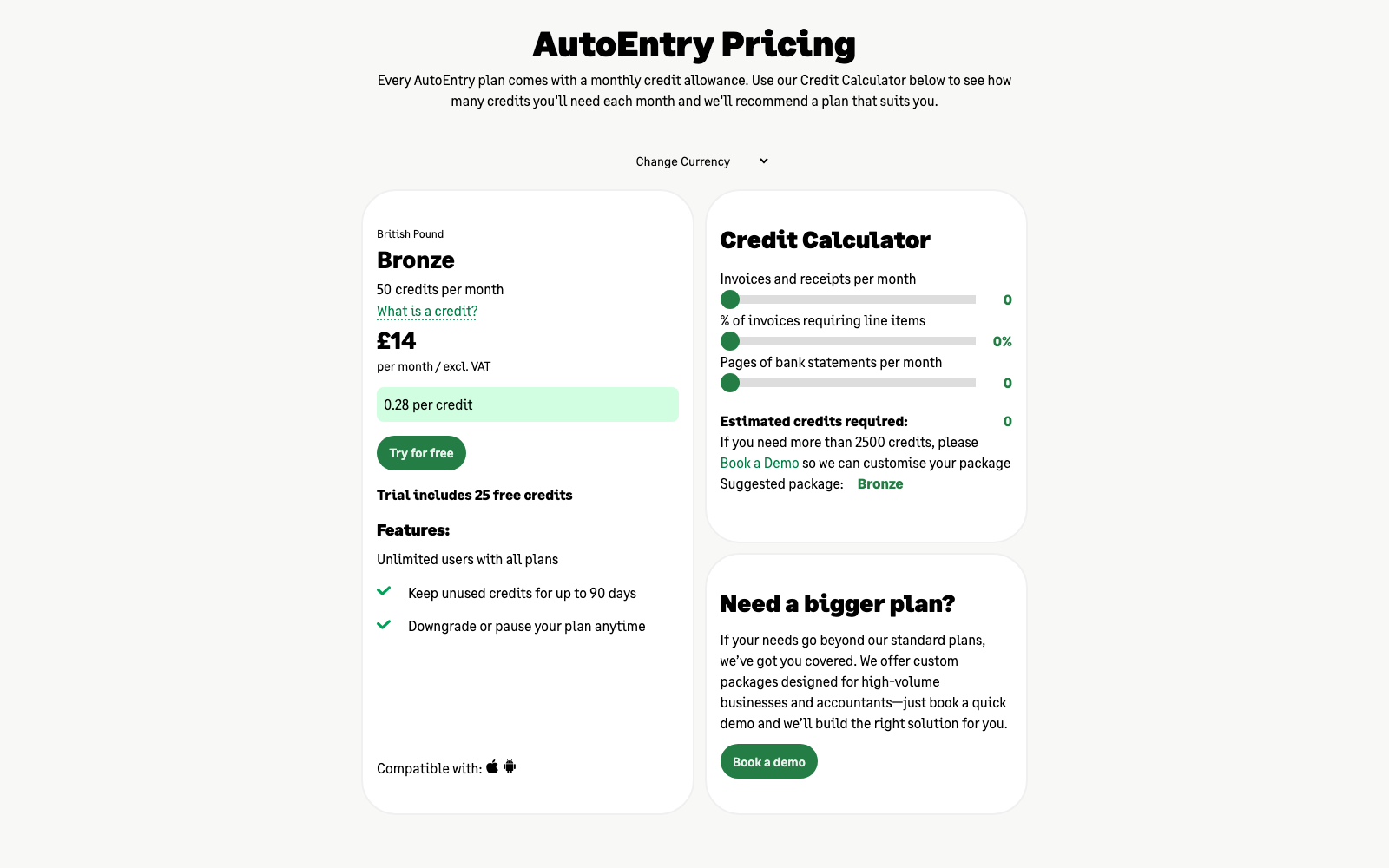
None of this makes AutoEntry a bad tool, and it's worth saying plainly. Verified Xero users rate it 4.7/5 across 465 App Store reviews, 97% of them four or five stars. Practitioners on AccountingWeb rate its line-item extraction above Dext's. It reads bank and credit-card statements, which several tools on this list simply can't. Unlimited users, unlimited client companies and unlimited storage come with every plan — genuinely rare. And when Dext repriced in 2023, AutoEntry is where a lot of UK firms went, because per-item pricing across a whole portfolio can work out at pennies per client per month.
What people leave for is the meter itself. We compared the 7 best AutoEntry alternatives below: prices read from live pricing pages in July 2026, limits taken from vendors' own documentation, and one of them doesn't meter anything at all.
What to look for in an AutoEntry alternative
Before you move, be precise about what you're escaping. These five things decide it:
- Documents, not credits. The cleanest replacement counts a document as one document, whatever's printed on it. No arithmetic before you upload, nothing to forecast, nothing to lose at 90 days.
- Line items included, not doubled. Line-item extraction is the feature most often sold separately — as a second credit, a paid upgrade, or a tier you have to jump to. Check it before you compare headline prices, because it is where the real money hides.
- A price that survives renewal. Published prices, monthly billing, and no automatic overage you can't disable. AutoEntry's own help centre records that subscription prices increased on 1 September 2025, including fixed-price and non-standard plans.
- Extraction that tells you when it's unsure. Every vendor advertises "up to 99% accurate". What matters is the other 1%: does the tool flag the field it guessed, or do you discover it at VAT time? Per-field confidence beats a percentage on a homepage.
- A real route into your ledger — check Sage specifically. This is the trap. Most modern capture tools connect to Xero and QuickBooks and stop there. If you're a Sage practice, your shortlist is much shorter than it looks, and you need to check it first rather than last.
Every tool below is measured against those five.
The 7 best AutoEntry alternatives in 2026
| # | Tool | Best for | Starting price (July 2026) |
|---|---|---|---|
| 1 | Tallently | Small businesses that want zero data entry and no meter | From $19/mo for 100 documents · 14-day trial, no card |
| 2 | Dext | Practices that want the ecosystem standard | £24.17/mo billed annually (£30 monthly) |
| 3 | Lightyear | Mid-market AP with approvals and PO matching | From £130/mo (125 credits) |
| 4 | Datamolino | UK bookkeepers who bill for line-item work | From £17/mo (100 documents) |
| 5 | Hubdoc | Xero subscribers who want capture at no extra cost | Included with Xero plans |
| 6 | Veryfi | Flat per-user pricing and developer APIs | $17.50/user/mo billed annually |
| 7 | Zoho Expense | The tightest budgets | Free · paid from £3/user/mo |
1. Tallently — best for small businesses that want zero data entry
Best for: businesses and bookkeepers who want documents to file themselves, with nothing to meter and nothing to forecast. Price: from $19/month for 100 documents, $39 for 500, $79 for 2,000 — 14-day free trial, no card required.
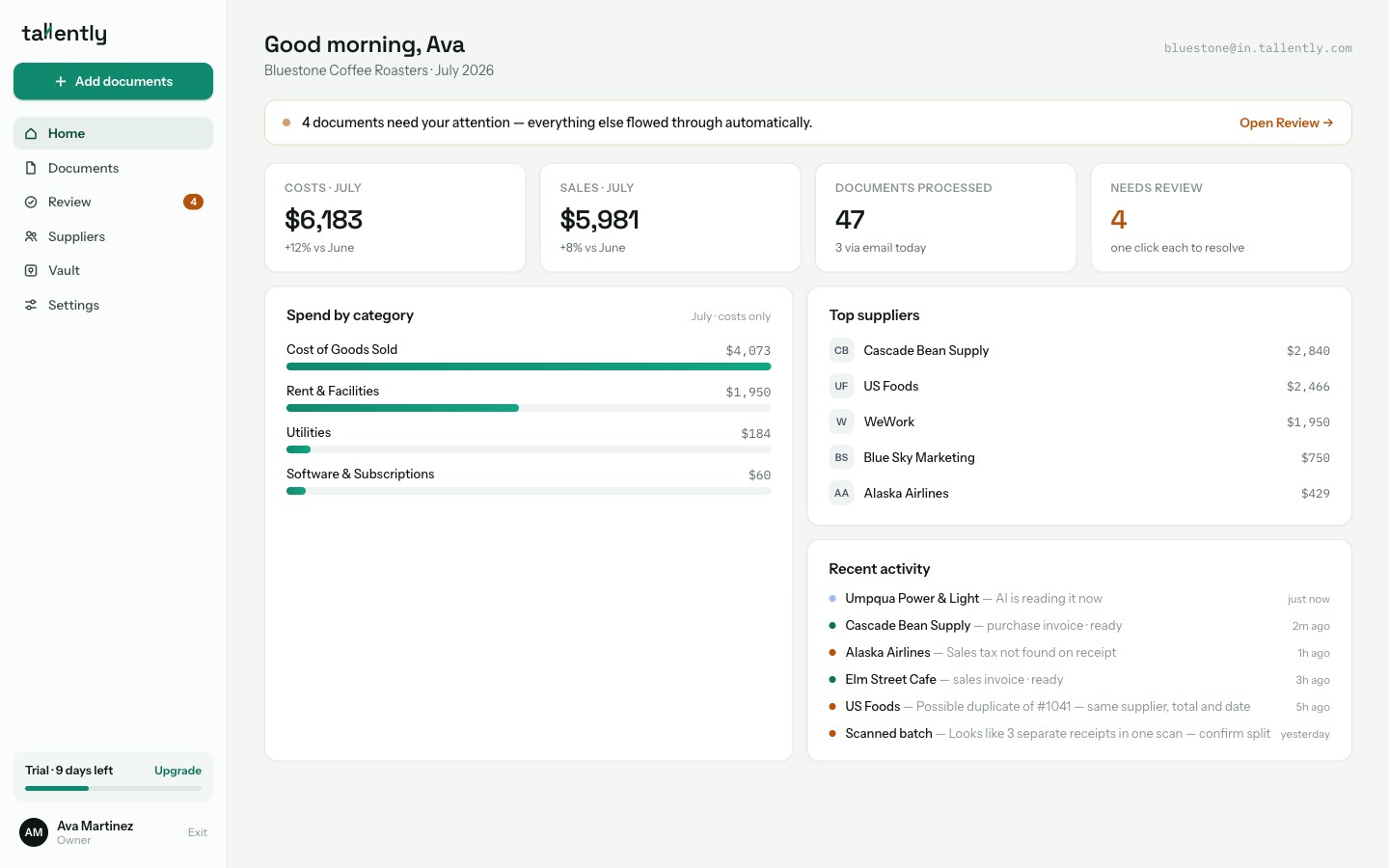
The difference between AutoEntry and Tallently starts before you upload anything: there is no credit ledger to think about. A document is a document. Line items don't cost double, a bank statement isn't priced by the page, and nothing you paid for expires in 90 days because you did the books quarterly instead of monthly. You pick a monthly document count and that's the whole pricing model — the comparison table on the pricing page has a row called "Credit system" and it reads None on every plan.
The intake is the second contrast, and for AutoEntry users it's the bigger one day to day. AutoEntry gives each company four separate email addresses — Purchases, Sales, Supplier Statements, Expense Reports — and bank statements can't be emailed in at all, so you have to know what a document is before you can send it anywhere. Tallently gives you one address and one drop zone. Receipts, purchase invoices, sales invoices, statements, contracts, mixed ZIPs: everything goes to the same place, and the AI works out what each file is, whether it's a cost or a sale, whether that 40-page scan is really 12 separate receipts, and whether you've uploaded it before.
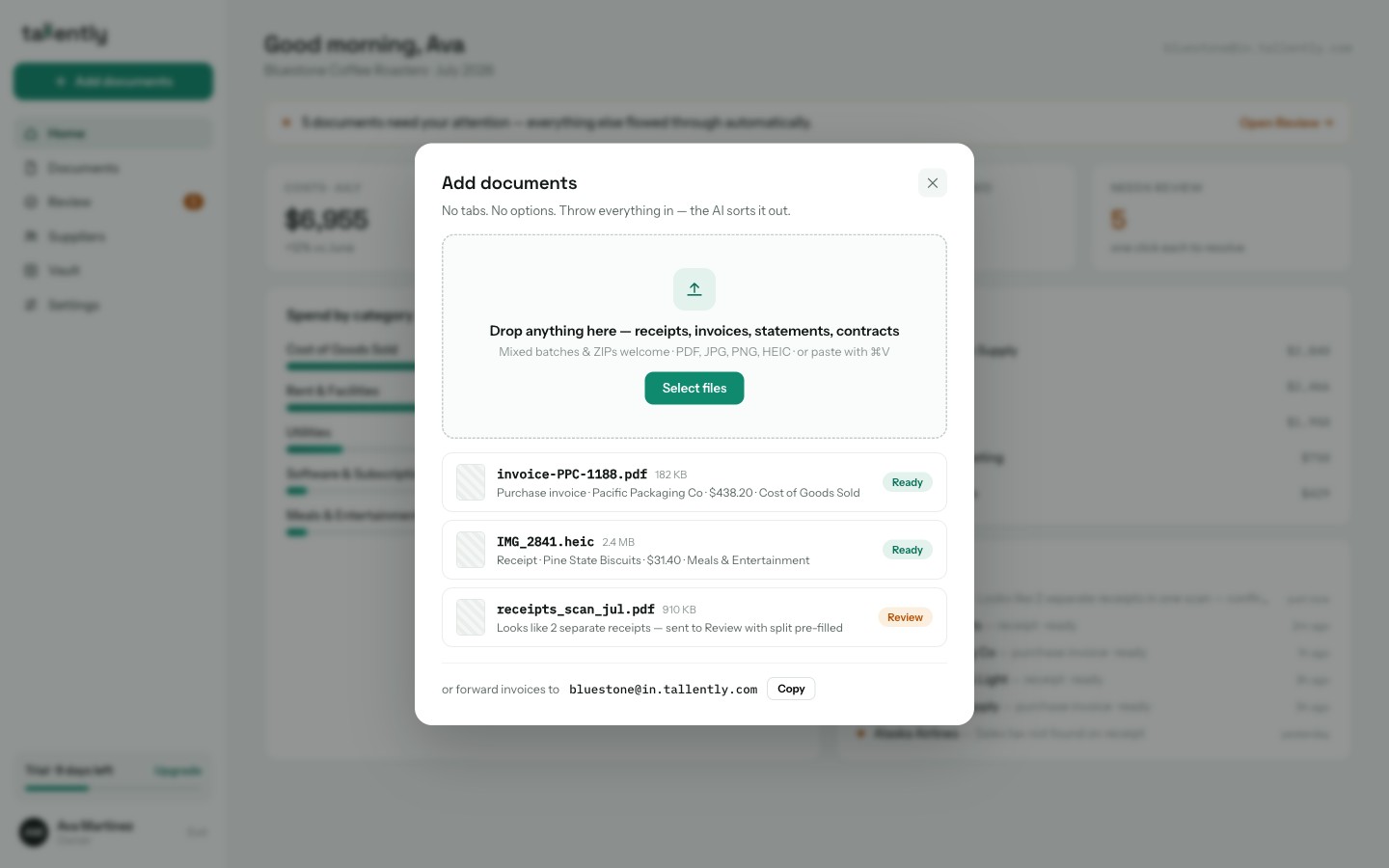
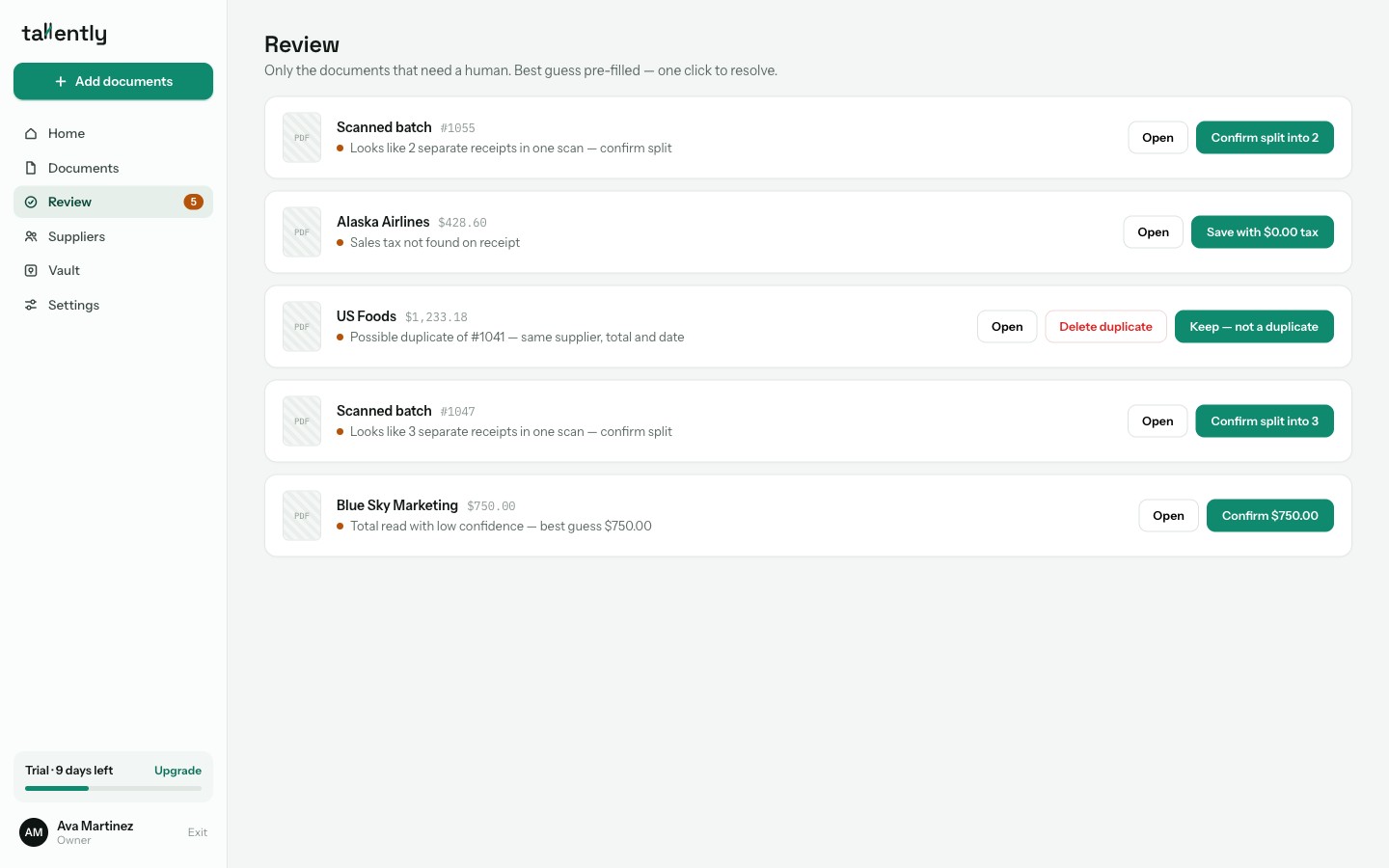
Extraction runs on AI vision rather than legacy OCR, and every field comes back with its own confidence score — supplier, dates, invoice number, subtotal, VAT, total. That's what powers the Review queue: instead of checking every document, you get one list containing only the ones that genuinely need a person, each with the best guess already filled in and one click to resolve. "VAT not found." "Possible duplicate of #1041." Everything else flows straight through, and when the queue empties it tells you: "All clear 🎉".
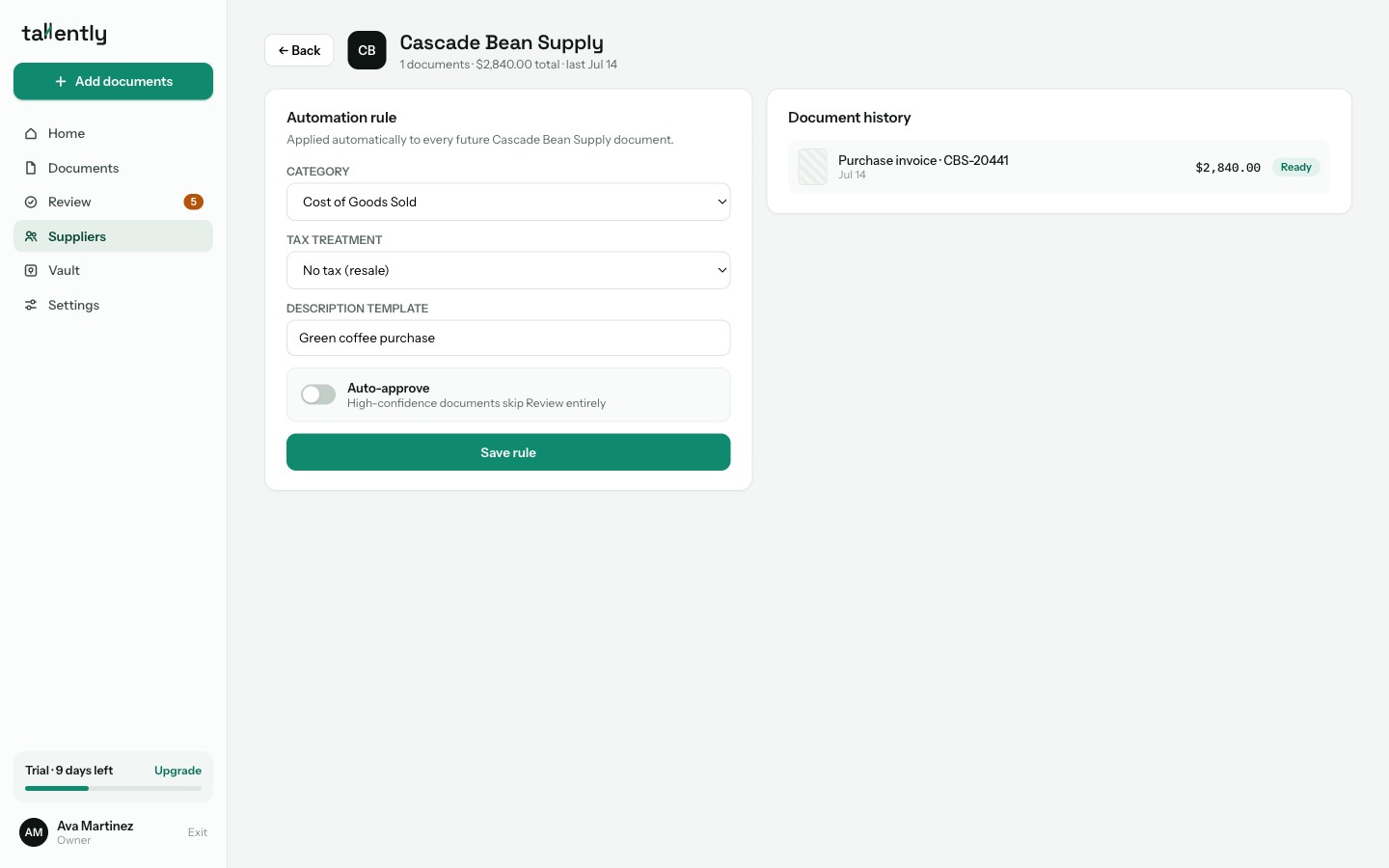
Repetition gets handled the same way. Supplier rules watch how you code each supplier and learn from your corrections; once you trust a wholesaler's invoices, switch the rule to auto-approve and they skip the queue entirely — categorised, filed and export-ready without you opening them. Corrections are stored as events, so the next invoice from that supplier starts closer to right.
For getting data out, Tallently ships CSV and Excel exports — generic, plus formats built for QuickBooks Online and Xero import — along with PDF bundles for your accountant. Originals stay stored for 10 years with a full audit log.
Two honest caveats, and the first matters most if you're leaving AutoEntry. There is no Sage connection today. For a Sage 50 practice that means handing over a clean file rather than syncing, and it deserves real weight — it's the one reason an AutoEntry user might rightly stay put. Native QuickBooks and Xero connections are landing next; today those routes are purpose-built import files too. And there's no mobile app yet, where AutoEntry has one.
Stop counting credits before you upload. Tallently reads, sorts and files every document for you — free for 14 days, no card required, set up in minutes. Start your free trial →
2. Dext — best for practices that want the ecosystem standard
Best for: firms that want the most widely adopted pre-accounting platform, and whose clients' bookkeepers already know it. Price: £24.17/month billed annually (£290/year) or £30/month monthly, for 250 documents and 5 users — $25.21 and $31.50 in the US (as of July 2026).
Dext is the obvious lateral move, and on capability it holds up: line items, supplier statements, bank statement extraction, supplier rules, and the deepest accountant network of anything here. It's now sold as a single Dext Business plan with a volume slider rather than a ladder of tiers, and each extra user adds allowance rather than just a seat.
It swaps one meter for another, though. Line-item extraction is an add-on from £16.50/month or £0.40 per document once you've used the five included documents, and allowances reset at the start of each billing period with no rollover — the same problem as expiring credits, on a monthly clock. Community cost reports also document renewal increases of 10–30% a year.
Where it falls short: the bill at renewal rather than the product. Trustpilot's 1-star reviews return repeatedly to auto-renewing annual contracts and a cancellation window that closes 30 days before renewal. We priced the whole field in our guide to the best Dext alternatives.
3. Lightyear — best for mid-market AP with approvals and PO matching
Best for: finance teams that need purchase orders, multi-step approvals and supplier statement reconciliation, not just capture. Price: Essentials £130/month for 125 credits; Standard £179/month for 250 credits; Professional custom (as of July 2026).
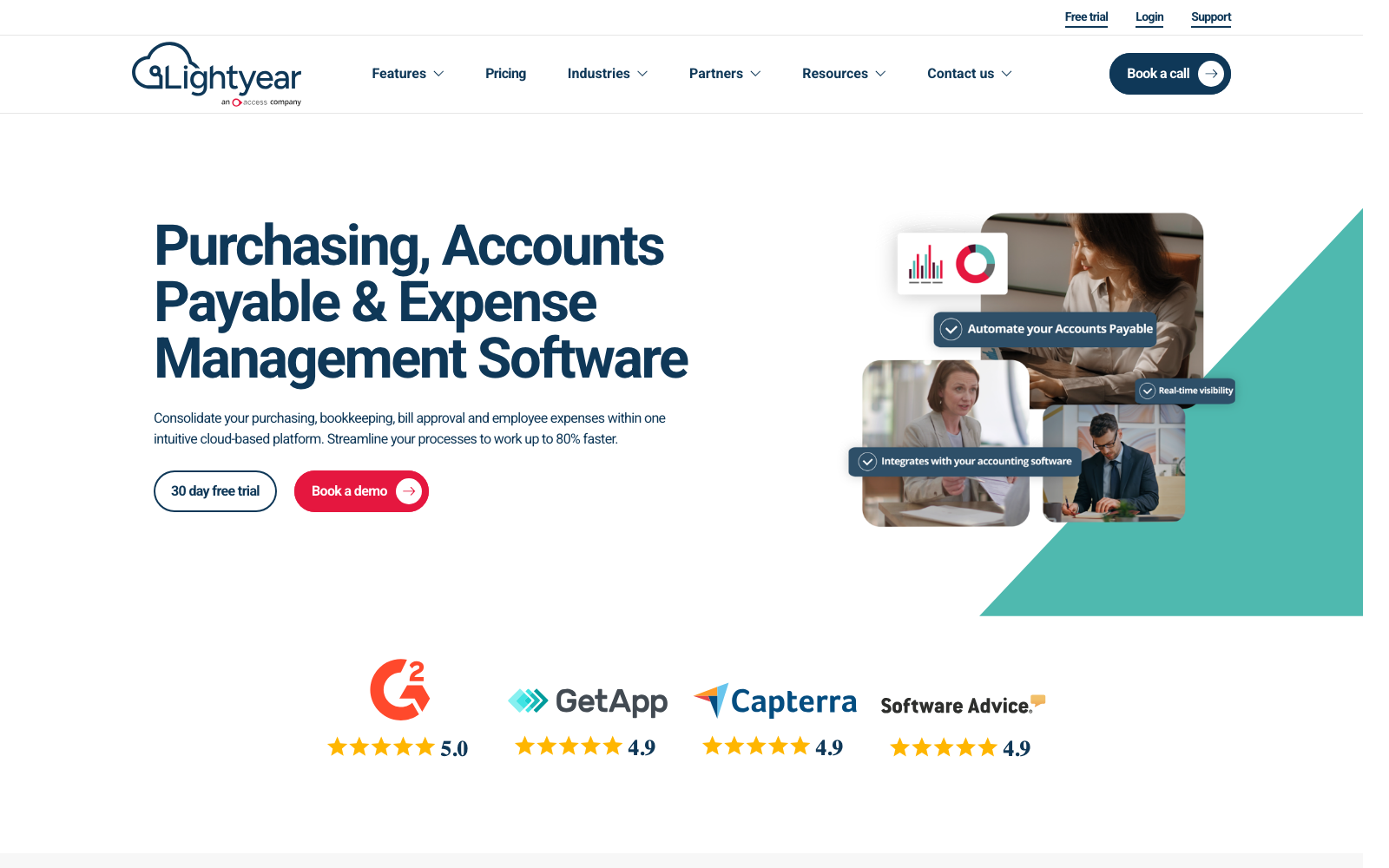
Lightyear, now part of The Access Group, is the one tool here that answers the Sage question: Sage sits on its own software-partner list alongside Xero, QuickBooks Online, NetSuite, MYOB and AccountsIQ, plus Adept for the Sage 50 add-on community. Line-item data extraction is standard on every plan, users and sub-entities are unlimited, and the contract is 30-day rolling with a free trial. The review data is unusually strong — 5.0/5 from 144 verified Xero App Store reviews and 4.9/5 from 191 on Capterra UK, with reviews still landing in 2026.
This is the upgrade, not the swap, though. Lightyear is credit-metered too — 1 credit per bill, invoice, receipt, statement or PO, and 3 per employee expense — and it starts at roughly nine times AutoEntry's entry price.
Where it falls short: the price floor rules it out for small businesses, and Lightyear's own pricing page notes an additional monthly fee may apply depending on your accounting-software integration requirements. Its review pages are almost entirely 5-star, which is a real signal — but it leaves little published criticism to weigh against the marketing.
4. Datamolino — best for UK bookkeepers who bill for line-item work
Best for: UK and EU bookkeeping firms processing supplier invoices where the detail below the total is the job. Price: business plans from £17/month ($20) for 100 documents; firm plans from £25/month with unlimited clients and users (as of July 2026).
Datamolino is the small, focused option, and the satisfaction data is remarkable: 4.9/5 from 413 verified Xero users without a single 1-, 2- or 3-star review, and a perfect 5.0 support score on Capterra. Multi-page PDFs split automatically, approval workflows come as standard, and firm plans carry no per-client licences.
One correction worth making, because it's repeated everywhere including in our own earlier guides: line items are not included on every plan. They're a paid upgrade — the Start plan goes from £17 to £35 a month with line items switched on — and they aren't offered at all on the cheapest £25 firm tier. Bank statement conversion is a metered extra at about $0.80 per page.
Where it falls short: there's no direct Sage integration, which is decisive for exactly the Sage-ecosystem practices most likely to be reading this. Capterra reviewers also occasionally report OCR corrections on low-resolution scans.
5. Hubdoc — best for Xero subscribers who want capture at no extra cost
Best for: Xero users with modest volumes who'd rather not pay for capture twice. Price: included with every Xero business plan, branded "Smart document capture"; $12/month standalone after a 30-day trial (as of July 2026).
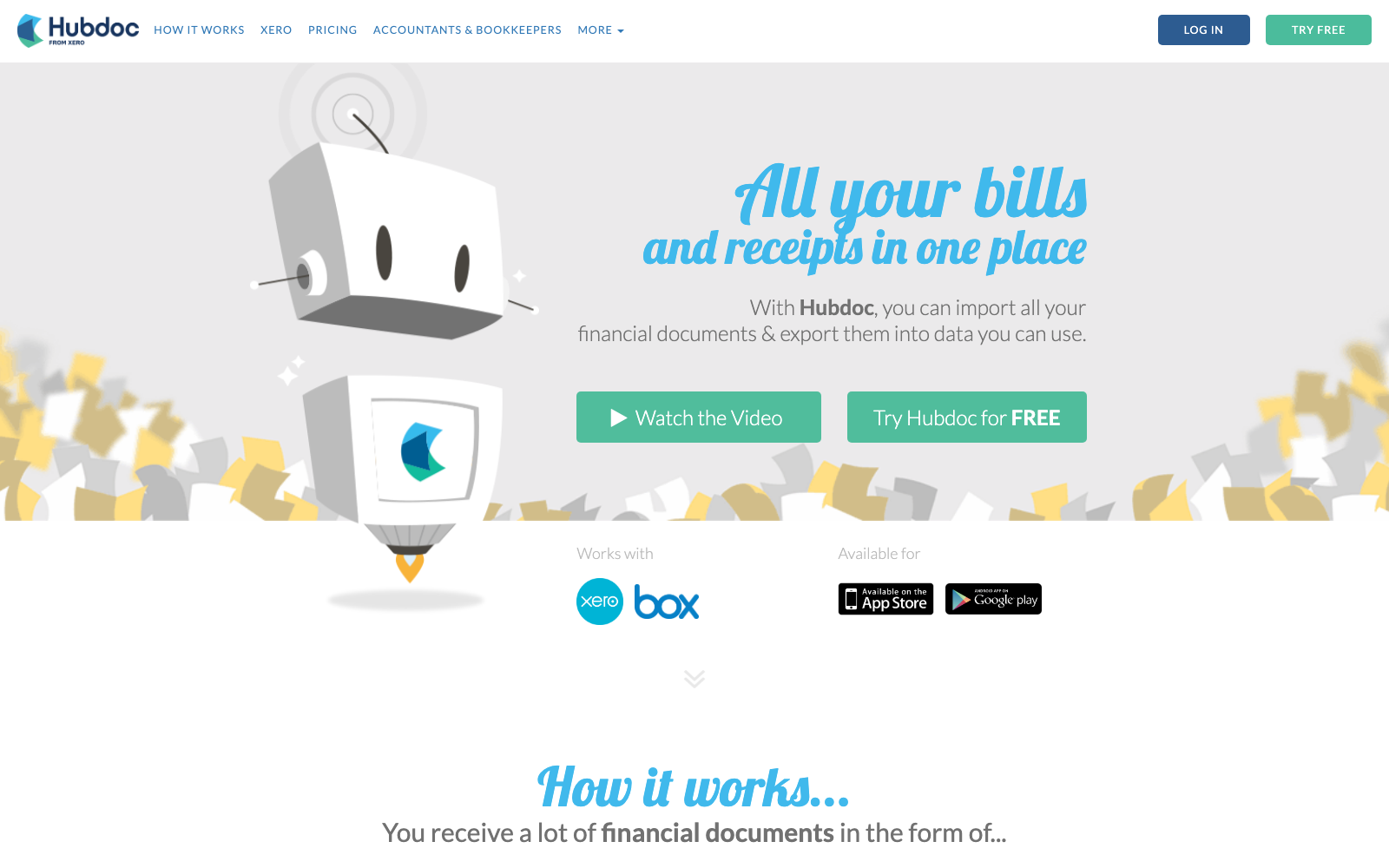
If you're on Xero, you already own this. UK Xero plans run £16 to £65 a month ex VAT (Ignite through Ultimate) and capture is bundled into all of them with no document cap — which removes the credit problem completely by not metering anything.
It removes the line items too. Xero Central states plainly that Hubdoc doesn't automatically extract line item data, and that you need to enter it manually or handle it through supplier rules. For anyone who moved to AutoEntry because of line items, that's a step backwards, and the satisfaction gap shows: 3.3/5 from 231 verified Xero reviews against AutoEntry's 4.7. Note too that Xero has confirmed subscription prices rise from 1 September 2026, so "free with Xero" is getting more expensive.
Where it falls short: header-only extraction and a product that has stood still for years — reviewers use "outdated" and "clunky" repeatedly. We covered the full picture in our guide to Hubdoc alternatives.
6. Veryfi — best for flat per-user pricing and developer APIs
Best for: teams that want predictable per-seat billing, and product teams embedding extraction in their own software. Price: $19.99/user/month, or $17.50/user/month billed annually, with 300 documents per user; the OCR API is free to 100 documents/month, then from $500/month (as of July 2026).
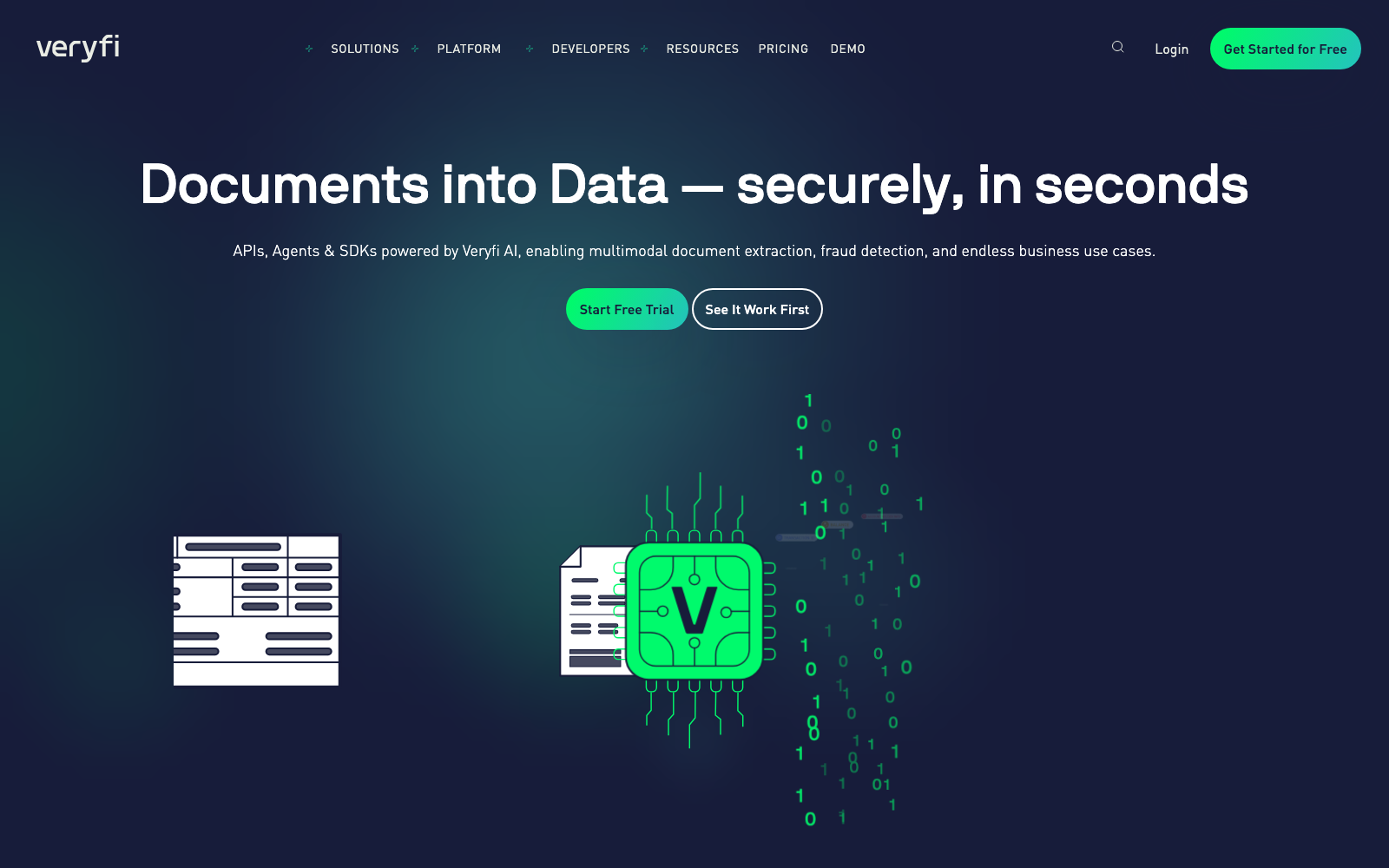
Veryfi is an extraction engine first — an API that turns receipts and invoices into structured JSON in seconds across 38 languages — and the same engine powers a small-business app with QuickBooks and Xero sync. For AutoEntry leavers the appeal is structural: flat per-user pricing, line items included, no credit system anywhere. Capterra reviewers rate it 4.8/5 across 191 reviews, with accuracy and support most praised.
The economics are the obstacle. At $17.50 per user per month, per-seat pricing works against exactly the multi-user practices AutoEntry serves with unlimited users on every plan.
Where it falls short: Capterra and GetApp reviewers repeatedly flag the price for small teams and report OCR slips on faint or low-contrast receipts. Pricing is USD-only, and the headline veryfi.com/pricing page covers the API rather than the app — check you're reading the right one.
7. Zoho Expense — best for the tightest budgets
Best for: micro-teams who refuse to start paying again, and businesses already inside the Zoho suite. Price: free for up to 3 users (20 receipt autoscans); Standard £3/user/month billed annually (£4 monthly); Premium £5/user/month billed annually (as of July 2026).
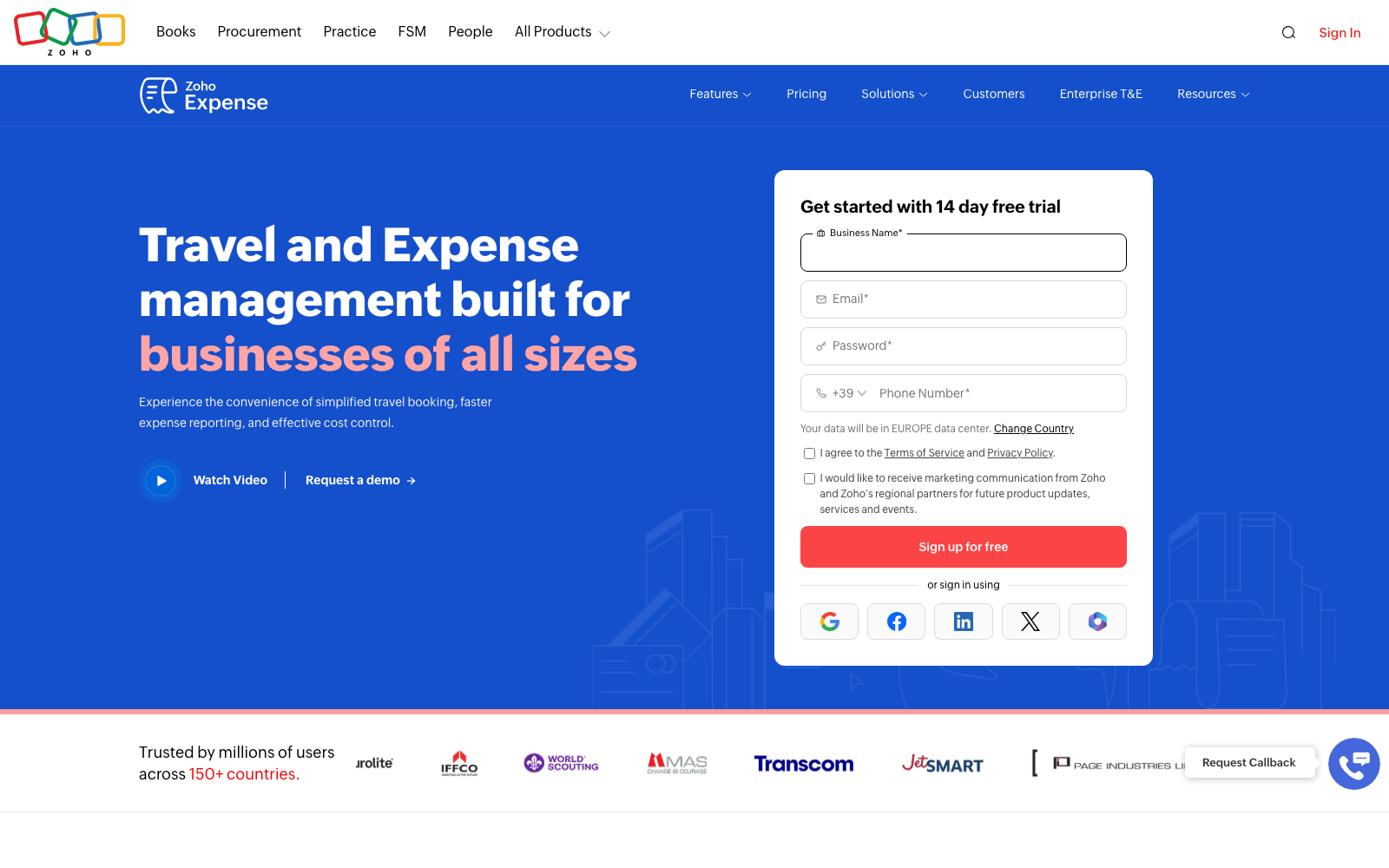
Nothing here competes with Zoho Expense on price. The free tier is real, the Standard tier costs a fraction of anything else on this list, and it connects to QuickBooks Online and Desktop, Xero, Sage, NetSuite and the rest of the Zoho suite. G2 rates it 4.5/5 across more than 1,500 reviews.
It answers a different question, though. This is a travel-and-expense tool: employees submit, managers approve, money moves. There's no supplier statement handling and no bank statement extraction — two of the things AutoEntry users rely on most — and the autoscan allowance (20 per user per month on Standard) is its own quiet meter.
Where it falls short: Capterra reviewers repeatedly report card-feed sync failures and duplicate transactions, OCR misreads on crumpled receipts, and a setup that takes real effort before it feels smooth.
Which AutoEntry alternative is right for you?
| If you are… | Pick | Why |
|---|---|---|
| A small business tired of budgeting credits before you upload | Tallently | One inbox, AI classifies and extracts, no meter of any kind |
| A practice that wants the ecosystem standard | Dext | Widest adoption, deepest accountant network |
| A Sage practice that needs approvals and PO matching | Lightyear | Sage on the partner list, line items standard, unlimited users |
| A UK bookkeeper billing for line-item work | Datamolino | Line-item specialists, unlimited clients on firm plans |
| A Xero user with low volumes and no line-item needs | Hubdoc | Already included in your subscription |
| A team that wants flat, predictable per-seat billing | Veryfi | No credits, line items included, real free API tier |
| Determined not to pay | Zoho Expense | Free for 3 users, £3/user/mo after |
| Processing high volume across many client companies | Stay on AutoEntry | Unlimited clients and users at pennies per item is hard to beat |
That last row is genuine. AutoEntry's economics are excellent at scale — a portfolio of low-volume clients on shared credits can cost a couple of pounds per client per month, and nothing here undercuts that. The people who should leave are the ones fighting the meter rather than benefiting from it: quarterly bookkeepers watching credits expire, anyone whose invoices all need line items at 2 credits each, and anyone who has been frozen out by overage mid-month.
The test is easy enough. Look at last quarter's credit usage report and count what you actually spent versus what you bought. If the gap is small, stay. If you're routinely writing off unused credits or paying the 10% overage surcharge, run a trial — Tallently's doesn't ask for a card.
Frequently Asked Questions
Do AutoEntry credits expire?
Yes. AutoEntry's help centre states that credits expire 90 days after the date of purchase, whether you bought them in bulk or received them with a subscription, and that they still expire if you pause your subscription. If you cancel, remaining credits expire 30 days after the cancellation date, though you keep access to your account and data for 13 months. Sage 50 bundle and Sage for Accountants subscriptions are stricter again: those credits expire on the first day of each month and don't roll over at all.
How much does AutoEntry cost?
Plans are monthly only, priced by credit allowance, excluding VAT (checked July 2026): Bronze £14 for 50 credits, Silver £25 for 100, Gold £47 for 200, Platinum £108 for 500, Diamond £300 for 1,500 and Sapphire £469 for 2,500. Beyond 2,500 credits it's a custom package. Every plan includes unlimited users, unlimited client companies and unlimited storage, and AutoEntry also bills in USD, EUR and several other currencies. AutoEntry's own documentation records that prices increased on 1 September 2025, including fixed-price and non-standard plans.
What is an AutoEntry credit worth?
One credit covers a plain purchase or sales invoice, or a receipt. An invoice with line items costs 2 credits, a supplier statement costs 2, and bank or credit-card statements cost 3 credits per page. That last one is what catches people out: a single 20-page bank statement costs 60 credits, more than the whole 50-credit Bronze plan. Work out your real monthly mix before comparing the headline price to anything else.
What happens if I run out of AutoEntry credits?
Overage applies automatically, up to 200% of your monthly credit limit. Those extra credits show as a negative balance in your usage report and land on your next bill with a 10% surcharge — and per AutoEntry's help centre the overage feature is automatic and can't be switched off. Once you reach the overage ceiling the account freezes and uploads stop until you buy more credits or upgrade.
Is there a free alternative to AutoEntry?
Two realistic options. Hubdoc is included with every Xero business plan at no extra cost, with no document cap — but it doesn't extract line items, so it's only a fit if header data is all you need. Zoho Expense has a free tier for up to 3 users with 20 receipt autoscans, which suits a micro-team but not a bookkeeping workload. Veryfi's OCR API is free to 100 documents a month for developers. Tallently isn't free, but the 14-day trial doesn't ask for a card.
Does AutoEntry work with Xero and Sage?
Yes to both, and that breadth is one of its real strengths — AutoEntry publishes to Sage, Xero, QuickBooks, FreeAgent, KashFlow, ClearBooks, AccountsIQ and others, with a separate desktop sync app for Sage 50. It's also the reason switching is harder than it looks: most modern capture tools connect to Xero and QuickBooks only. If you're on Sage, check that box before anything else — of the alternatives here, Lightyear lists Sage as a software partner and Zoho Expense connects to it, while Datamolino and Tallently do not.
How do I leave AutoEntry without losing my documents?
Cancel in the Subscription and Billing settings — there's no long notice period, though you can't cancel inside the 24 hours before a renewal date. After cancelling you keep access to your account and data for 13 months, so there's no need to rush the export, but do it anyway while access is certain: remaining credits expire 30 days after cancellation, so spend them on anything still waiting to be processed first. Any alternative worth switching to, Tallently included, accepts bulk uploads of that archive so your history moves with you.
Ready to stop budgeting credits before you upload? Throw a month of receipts and invoices at Tallently and watch them file themselves — start your free 14-day trial, no card required, set up in minutes.