9 Dext Alternatives Worth Switching To in 2026
Last updated:
If you're reading this, chances are your Dext renewal notice just landed — higher than last year, again — and you've started wondering whether any of the Dext alternatives out there would treat you better.
You're not imagining the price creep. Community cost reports collected from Reddit and Hacker News document Dext renewal increases of 10–30% a year, with one user's bill climbing from $255 to $360 in three years while their plan was quietly renamed underneath them. Trustpilot's 1-star reviews tell the same story on repeat: annual subscriptions that auto-renew for another 12 months, a cancel button that Dext's own help centre says becomes unavailable when fewer than 30 days remain before renewal, and support tickets that sit for days. Since December 2024, Dext is owned by IRIS Software Group — and reviewers haven't reported any of this getting better.
None of this makes Dext a bad product. It's a mature, capable platform with a huge accountant network, and its overall Trustpilot score is a genuinely good 4.7. But the unhappy minority is unhappy about the same three things every time: the price at renewal, the lock-in, and the extras — line-item extraction alone is an add-on from $20.50/month or $0.50 per document (as of July 2026).
If those are your reasons for leaving, this guide is for you. We researched the 9 best Dext alternatives — real pricing from live pricing pages (checked July 2026), real weaknesses from 1–3 star reviews, no copy-pasted marketing claims — so you can pick the right one and switch once.
What to look for in a Dext alternative
Before you pick a replacement, decide what you're actually escaping. These are the five things Dext switchers say they want next time:
- No upfront sorting. Dext makes you decide where every document goes before it's even read: Costs or Sales, per-file or per-page splitting, two different email-in addresses. A modern tool should work the other way around — you throw everything in, the software figures it out.
- No credits that run out. Bank statement extraction, line items and supplier statements are all metered add-ons in Dext. Check what's included in the base price of whatever you switch to.
- Transparent pricing that survives renewal. Look for published prices, monthly options, and no 30-day cancellation windows on 12-month commitments. If the vendor hides pricing behind "talk to sales", assume the renewal will surprise you.
- Extraction accuracy you can trust. Every tool claims 99%. What matters is what happens to the other 1%: does the software tell you which fields it's unsure about, or do you find out at VAT time?
- A clean route into your accounting software. Native QuickBooks Online and Xero connections are ideal; at minimum you want exports formatted for QuickBooks/Xero import, so your accountant never retypes anything.
Every tool below is measured against those five criteria.
The 9 best Dext alternatives in 2026
| # | Tool | Best for | Starting price (July 2026) |
|---|---|---|---|
| 1 | Tallently | Small businesses that want zero data entry | Transparent pricing, 14-day free trial, no card |
| 2 | Hubdoc | Xero subscribers who want free capture | Included with Xero plans |
| 3 | AutoEntry | Sage-centric firms that accept credit packs | From $13/mo (50 credits) |
| 4 | Expensify | Teams reimbursing employee expenses | From $5/member/mo |
| 5 | Shoeboxed | Digitising a paper backlog by mail (US) | From $9/mo |
| 6 | Neat | US freelancers organising receipts for tax | $200/yr |
| 7 | Veryfi | Developers and data-privacy-sensitive teams | From $17.50/user/mo |
| 8 | Datamolino | UK bookkeepers who need line items | From $20/mo (£17) |
| 9 | Zoho Expense | The tightest budgets (free tier) | Free · paid from $3/user/mo |
1. Tallently — best for small businesses that want zero data entry
Best for: small businesses and their accountants who want documents to file themselves — no tabs, no credits, no sorting.
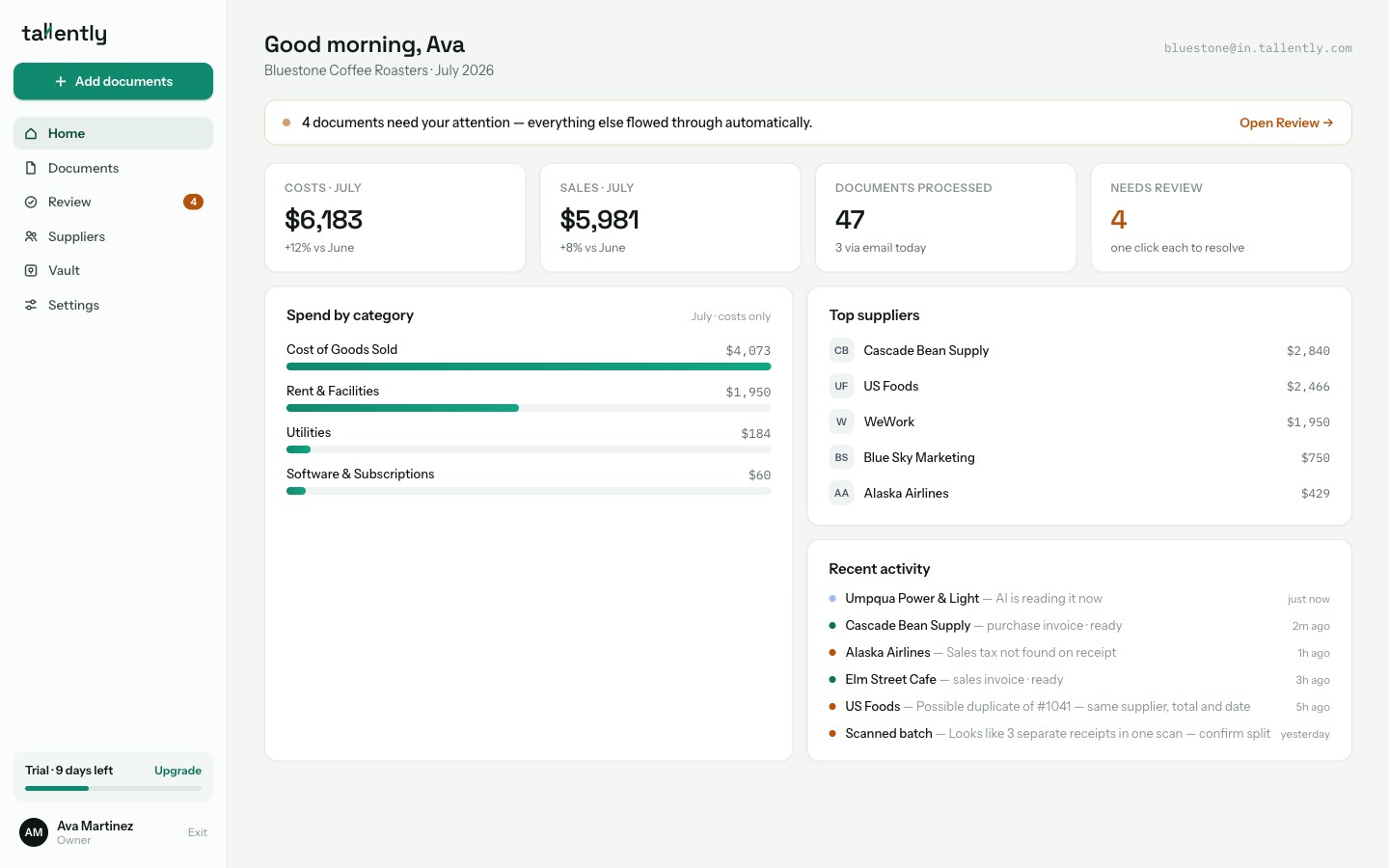
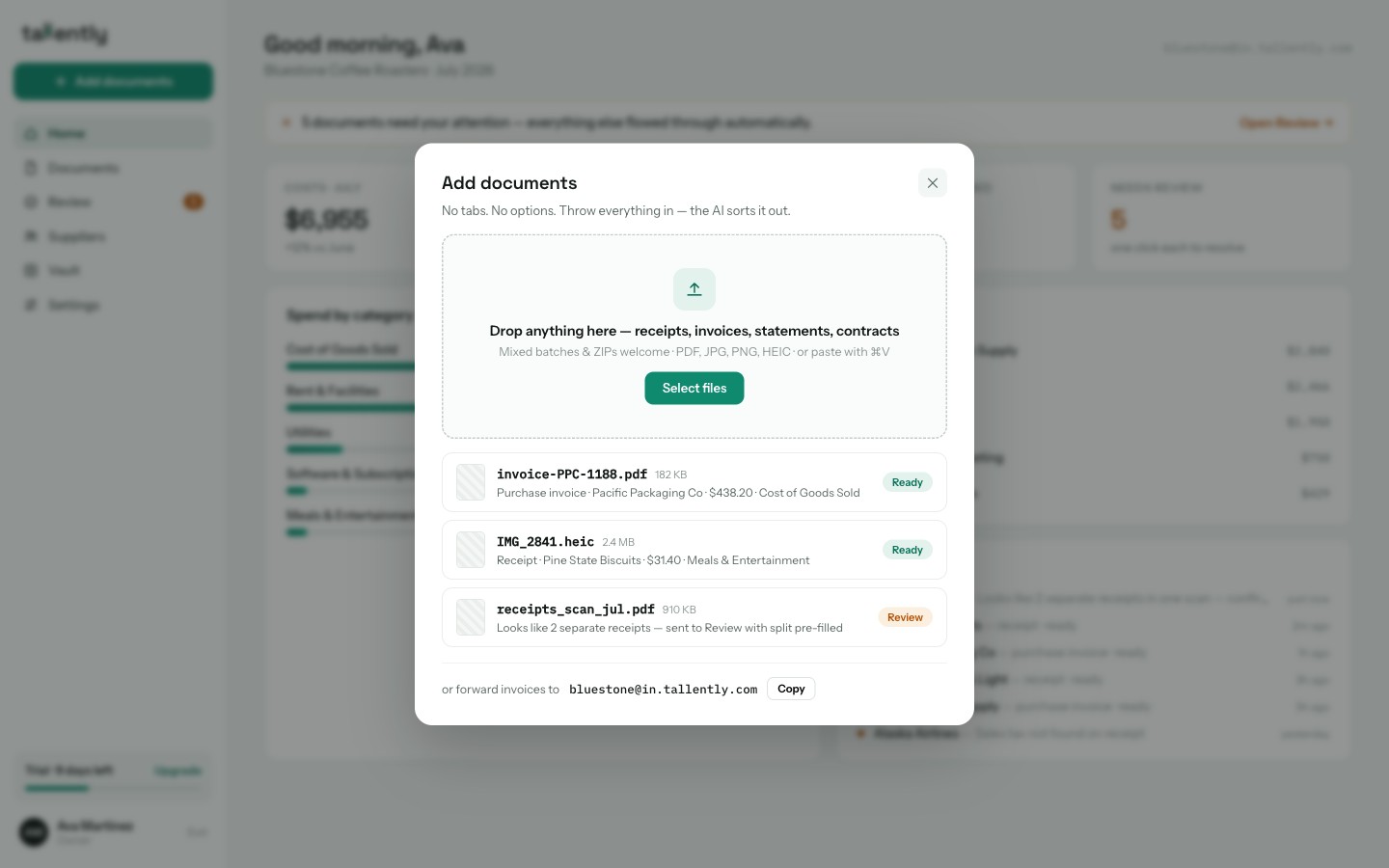
Tallently starts from the opposite assumption to Dext. Dext's intake asks you to make decisions before the software does any work: which tab (Costs? Sales? Bank? Vault?), which splitting mode, which of two email addresses. Tallently has exactly one inbox. You drag everything into it — receipts, purchase invoices, sales invoices, bank statements, contracts, mixed ZIPs of all of the above — and the AI decides what each document is, whether it's a cost or a sale (matched against your business profile, not guessed), whether a 40-page scan is actually 12 separate receipts, and whether you've already uploaded it.
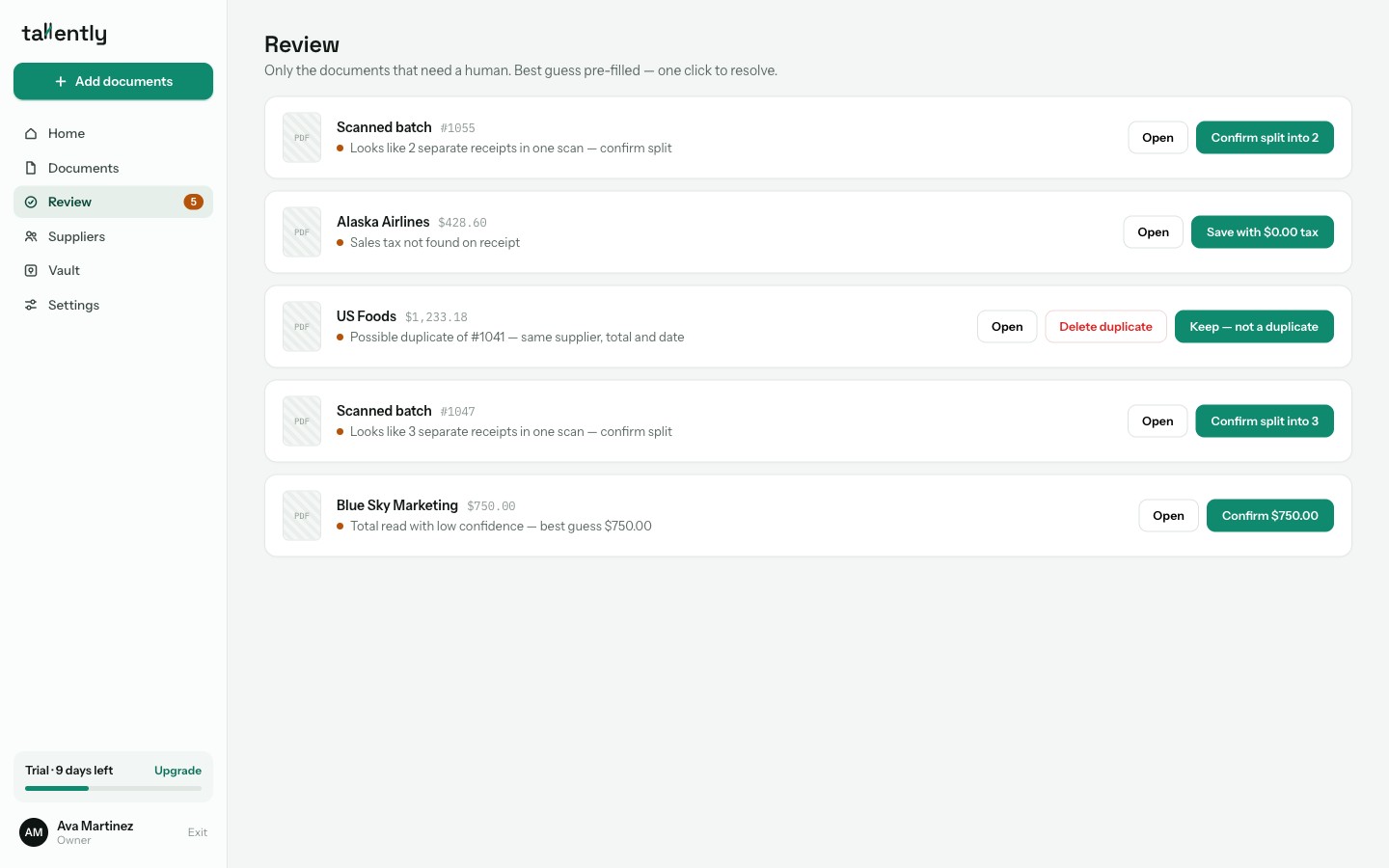
Extraction runs on AI vision rather than legacy OCR, and every field carries its own confidence score. That powers the part Dext users tend to appreciate most after switching: the Review queue. Instead of six pipeline tabs to patrol, you get a single list containing only the documents that genuinely need a human — "VAT not found", "possible duplicate of #1041" — each with the best guess pre-filled, one click to resolve. Everything else flows straight through. When the queue is empty, it says so: "All clear 🎉".
For getting data out, Tallently ships CSV and Excel exports formatted for QuickBooks Online and Xero import, plus generic CSV and PDF bundles your accountant can drop into any workflow — and native QuickBooks/Xero connections are on the way. Documents are stored for 10 years with a full audit log, so the receipt you need in an HMRC or IRS enquiry is searchable in seconds.
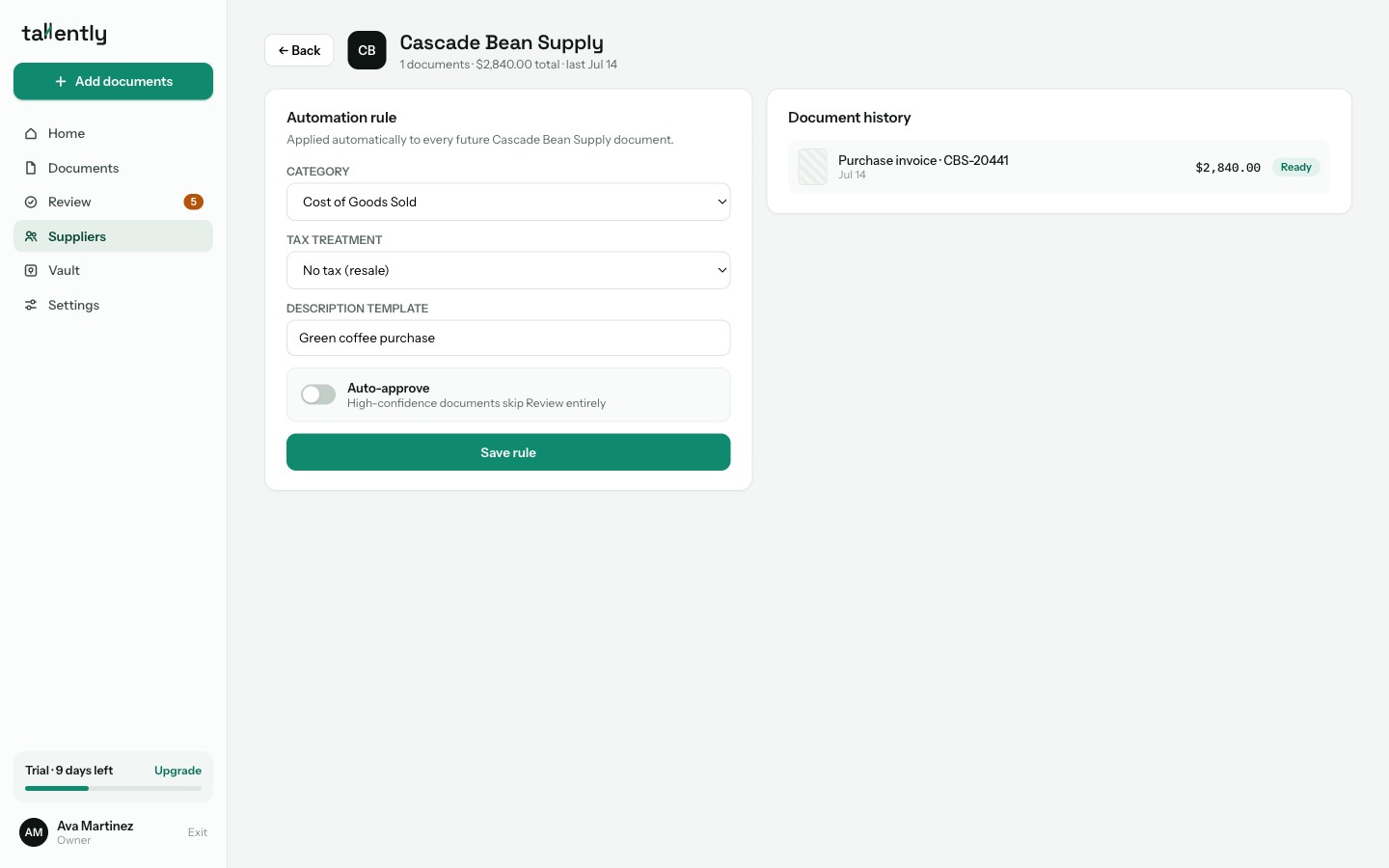
There's no credit system eating into your document allowance, either. Supplier rules watch how you code each supplier and learn from your corrections: once you trust your wholesaler's invoices, set the rule to auto-approve and they skip the queue entirely — categorised, filed and ready to export without you touching them.
Email-in follows the same one-place philosophy: a single address for your whole business (yourbusiness@in.tallently.com) — no "Costs address" vs "Sales address" to keep straight — with a wizard that sets up auto-forwarding from Gmail or Outlook in a couple of minutes. Attachments, receipts pasted into the email body, even links: all handled. Add your accountant or team with per-user access and 2FA, and pricing is transparent with a 14-day free trial, no card required.
Price: transparent pricing, 14-day free trial, no card required.
Stop typing receipts into spreadsheets. Tallently reads, sorts and files every document for you — free for 14 days, no card required, set up in minutes. Start your free trial →
2. Hubdoc — best for Xero subscribers who want free capture
Best for: Xero users with modest volumes who want document capture at no extra cost. Price: included with every Xero subscription; $12/month standalone after a 30-day trial (as of July 2026).
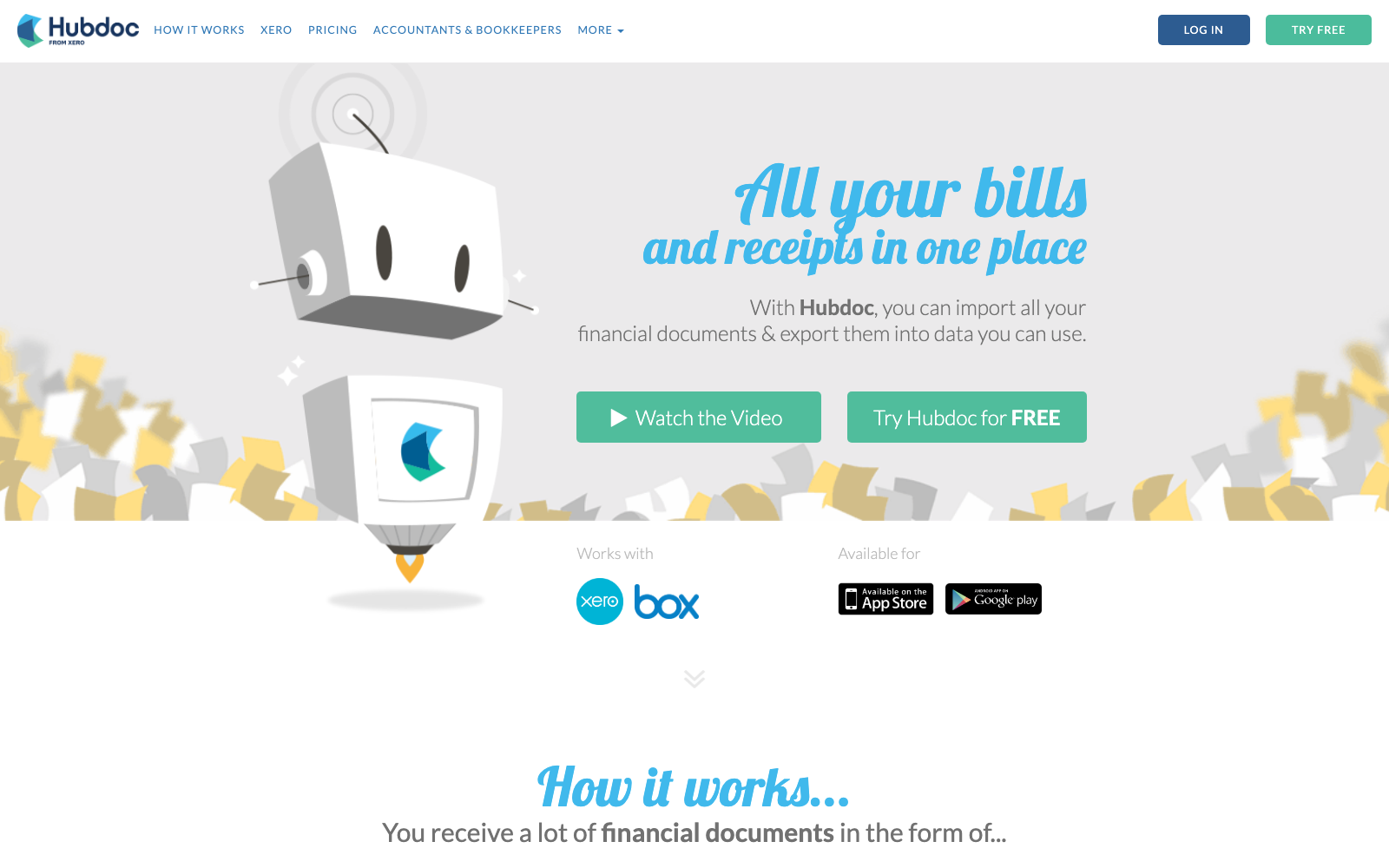
Hubdoc has one unbeatable argument: if you already pay for Xero, you already own it. Xero bundles it into every plan — it now shows up on Xero's pricing pages as "Smart Document Capture" — and even standalone it's $12/month with unlimited documents and a QuickBooks Online connection. For basic capture, it works: forward an email or snap a photo, and the supplier, date and total land in your ledger with the source document attached.
The trade-off is that Hubdoc is visibly a product in maintenance mode. It reads header data only — no line items — and Xero retired its bank-and-utility auto-fetch feature back in 2022 without a replacement. Verified Xero users rate it just 3.3/5 across 231 reviews on the Xero App Store.
Where it falls short: "No improvements since Xero bought Hubdoc" is the literal title of one Trustpilot review, and the sentiment repeats across years of reviews — an interface reviewers call outdated, OCR that misses fields they end up typing manually, duplicate documents published into Xero, and VAT totals you can't adjust when they're a penny out. If free-but-manual is the trade you're weighing, we broke it down in our guide to the best Hubdoc alternatives.
3. AutoEntry — best for Sage-centric firms that accept credit packs
Best for: accountants and bookkeepers in the Sage ecosystem who can live with a credit system. Price: from $13/month (£14 UK) for 50 credits; plans scale to $469/month for 2,500 credits (as of July 2026).
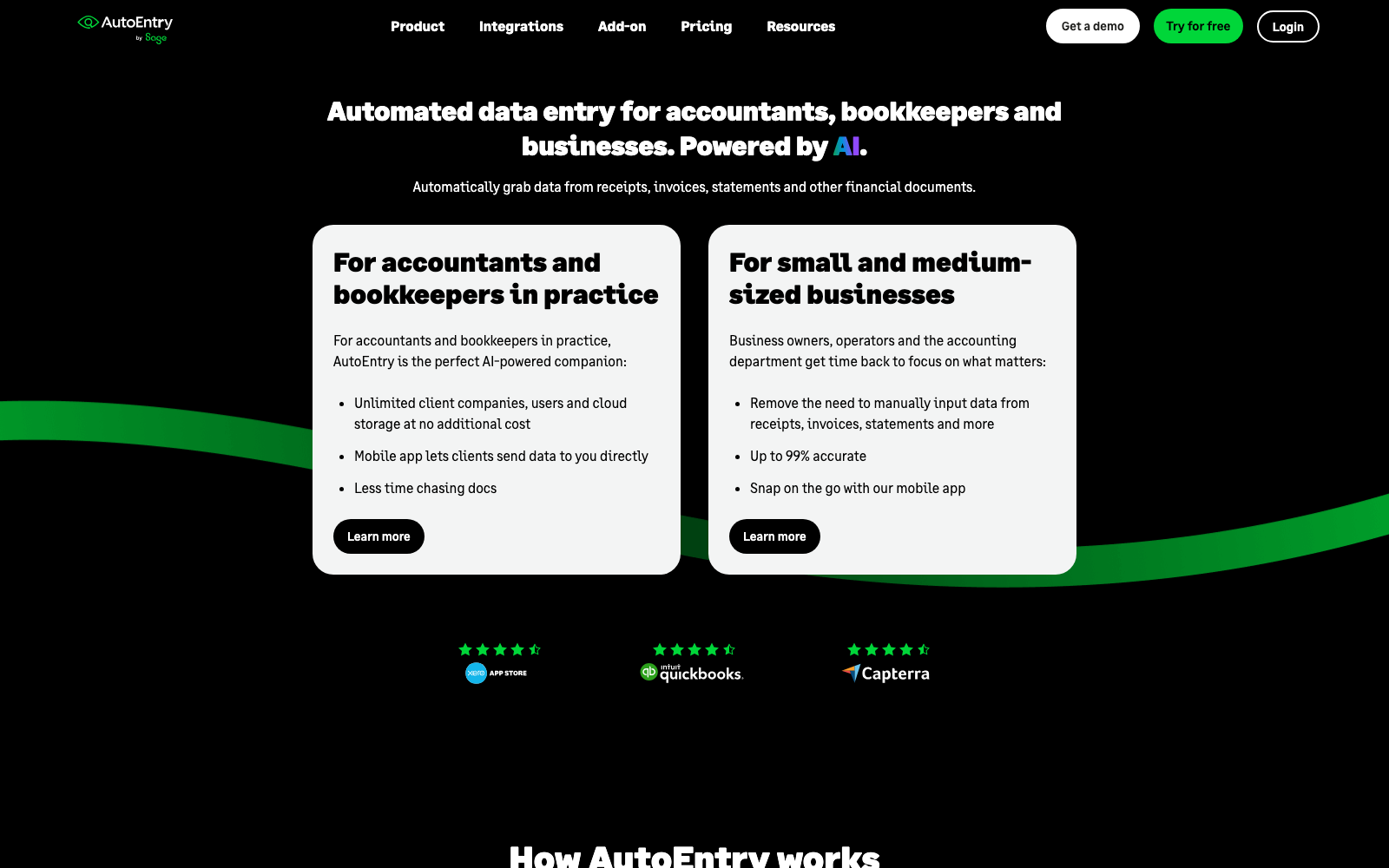
AutoEntry, owned by Sage, extracts far more than Hubdoc does: line items, supplier statements, bank statements and VAT categorisation, with supplier rules that remember your coding. It also supports the broadest ledger list here — Sage (naturally), Xero, QuickBooks, FreeAgent and more — with unlimited users and companies on every plan, which is exactly why multi-client practices like it. Verified Xero users rate it 4.7/5 across 465 App Store reviews.
The catch is that everything is metered. A plain invoice costs 1 credit, line items make it 2, bank statements are 3 credits per page — and unused credits expire after 90 days, a policy confirmed in AutoEntry's own help docs. If you do your books quarterly, the credits you paid for in month one are gone before you sit down to use them.
Where it falls short: Trustpilot and Capterra reviewers repeatedly vent about the credit expiry (one April 2026 reviewer fumed that Sage is effectively dictating when you're allowed to do your bookkeeping), documents stuck in processing for hours, OCR that picks the wrong supplier or tax code, and invoices marked "published" that never actually arrive in Sage or Xero. If the meter is what's pushing you out, we ranked the best AutoEntry alternatives the same way we ranked these.
4. Expensify — best for teams reimbursing employee expenses
Best for: companies whose real problem is expense reports — submit, approve, reimburse — rather than bookkeeping capture. Price: Collect plan $5/member/month; Control $18/member/month billed annually (as of July 2026). Individuals get 25 free SmartScans a month.
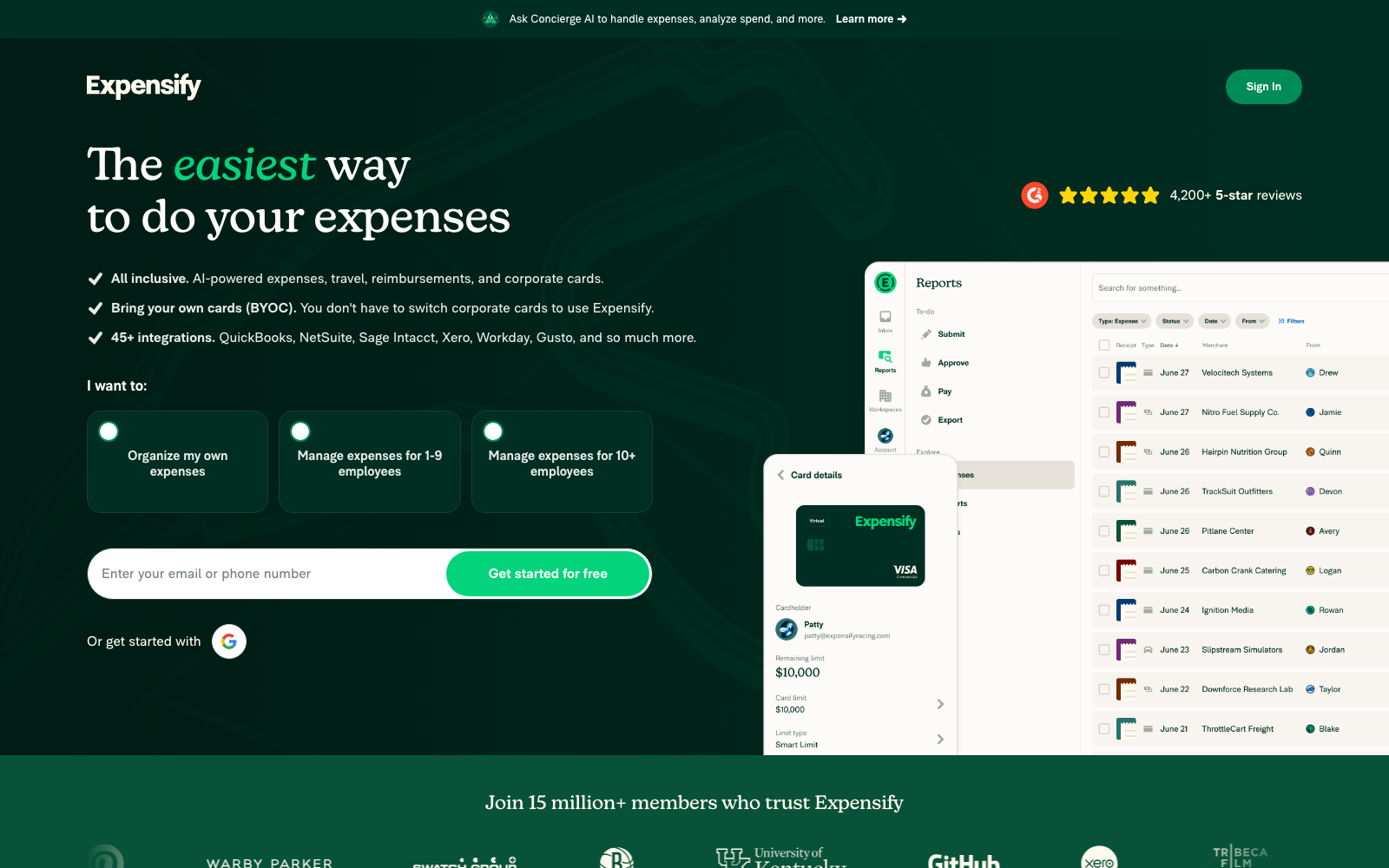
Expensify is the biggest name on this list, with 4.5/5 on G2 across more than 5,600 reviews, a slick mobile app, and unusually deep integrations for its price point (QuickBooks, Xero, NetSuite, Sage Intacct). Its April 2025 pricing overhaul made the entry price genuinely simple: $5 per member, monthly, no annual commitment.
The catch is that Expensify answers a different question than Dext does. It's built around expense reports and reimbursement — employees photograph receipts, submit reports, managers approve, money moves. As a general bookkeeping inbox for supplier invoices, statements and receipts, it's a mismatch: Capterra reviewers note that receipts are awkward to manage outside reports, and GetApp's review data shows the overwhelming majority of customers use it for reimbursement workflows.
Where it falls short: G2 and GetApp reviewers repeatedly describe billing surprises and unpredictable costs (fees tied to Expensify Card usage thresholds), and recent Trustpilot reviews complain that SmartScan accuracy and the "New Expensify" redesign require more manual fixing than the marketing suggests.
5. Shoeboxed — best for digitising a paper backlog by mail (US)
Best for: US businesses sitting on a literal shoebox of paper receipts. Price: from $9/month (Starter, 30 digital scans) to $79/month (Plus); the popular Pro plan is $29/month or $297/year (as of July 2026).
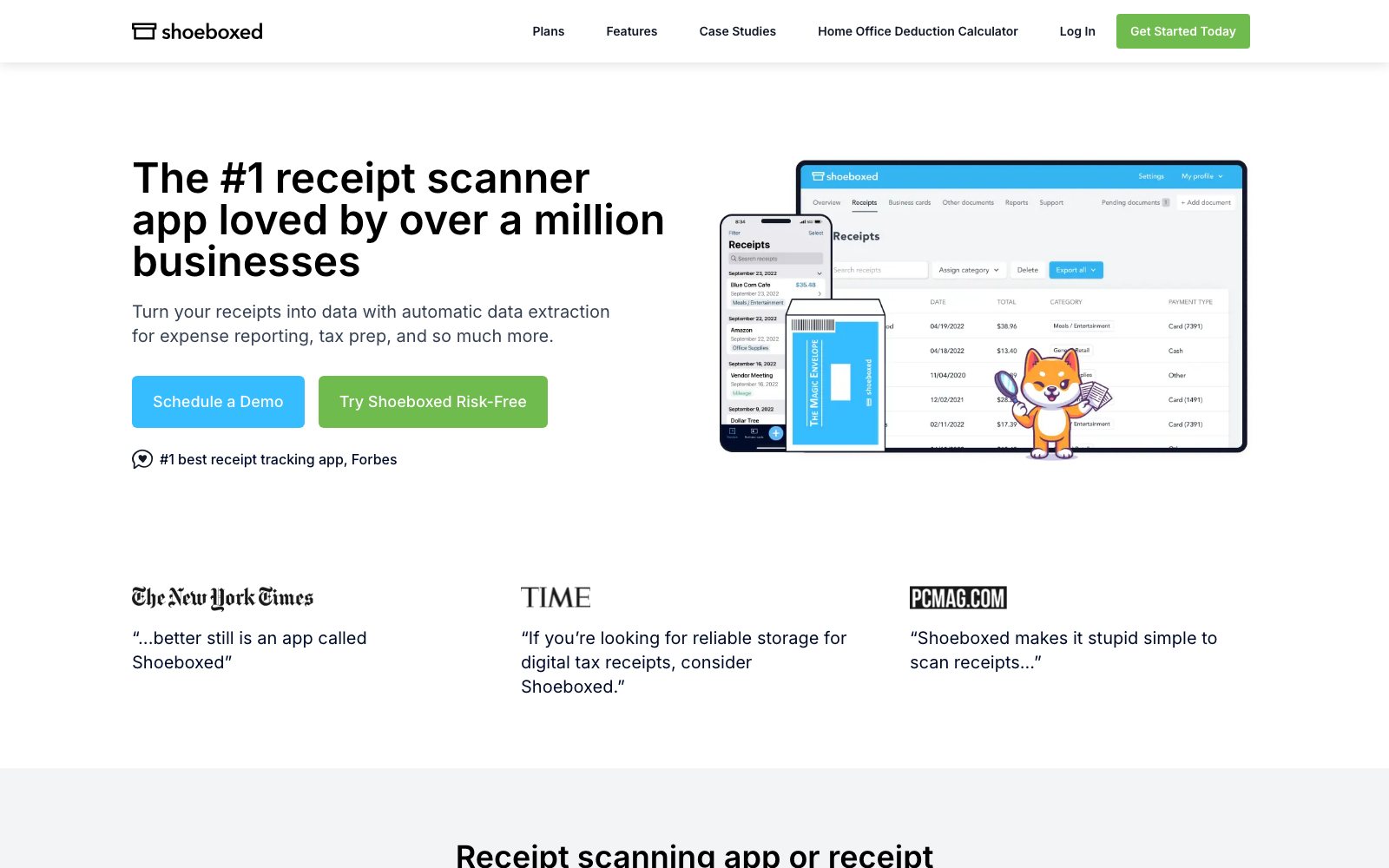
Shoeboxed's signature move is one no other tool here has: the Magic Envelope. You stuff your paper receipts into a prepaid envelope, mail it, and Shoeboxed scans, human-verifies and categorises everything on the other end. For clearing years of paper backlog — or for tradespeople who will simply never scan receipts themselves — that's a real service, and reviewers consistently say the human-verified data is accurate enough to hand to the IRS.
It's US-centric, though: the prepaid postage only works domestically (UK users pay international postage out of pocket), and every plan carries hard monthly scan caps with overage fees.
Where it falls short: Capterra reviewers repeatedly call it expensive for low volumes and describe the web interface as dated and clunky, and several report envelope turnaround stretching past a week once mail time is counted — painful in the run-up to a filing deadline.
6. Neat — best for US freelancers organising receipts for tax
Best for: US freelancers and micro-businesses who want a searchable receipt archive plus basic reports. Price: $200/year, billed annually only; VIP support +$50/yr (as of July 2026).
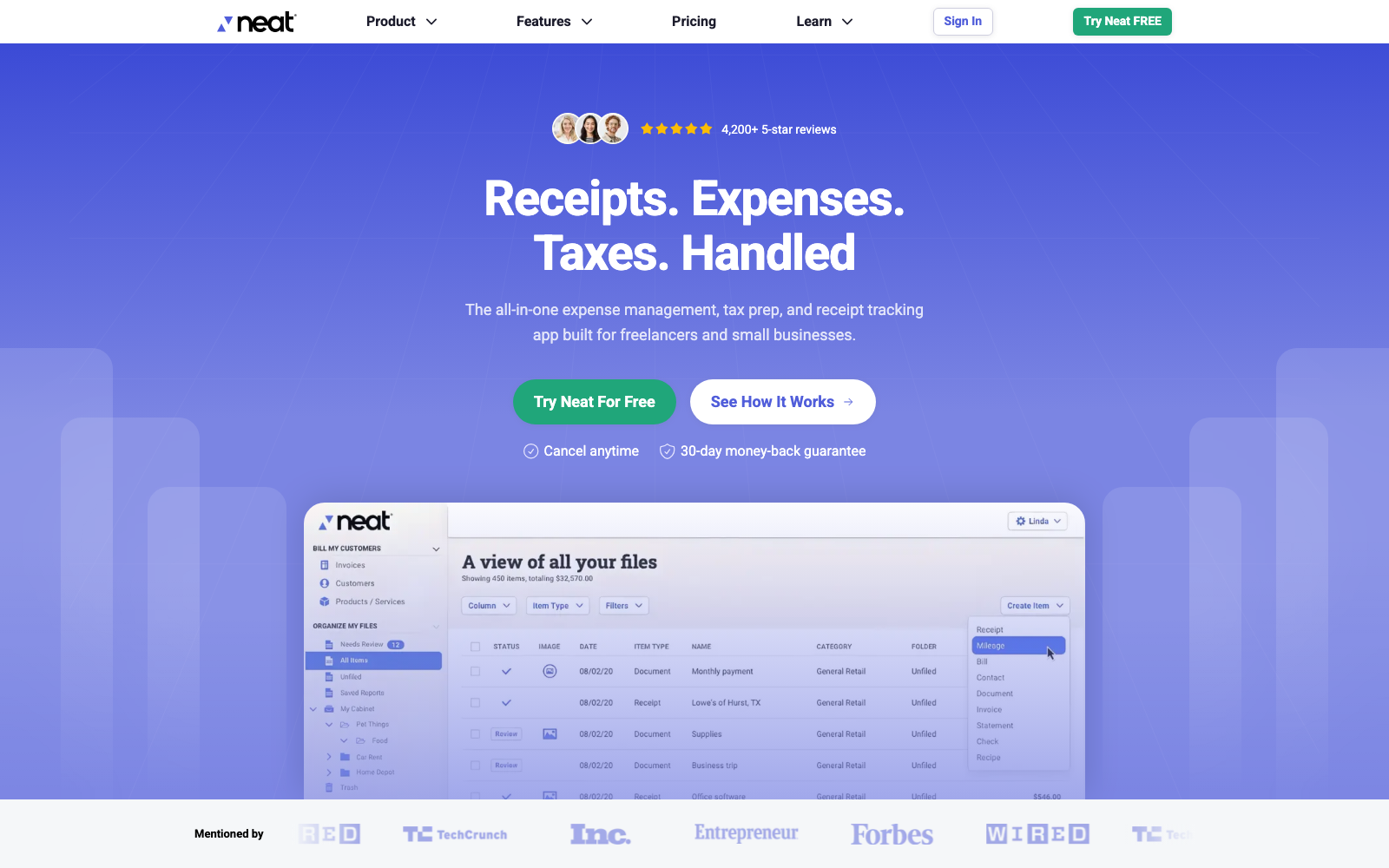
Neat has been in document capture for over two decades, and its current cloud product is closer to Dext's actual job than most expense apps: a searchable file cabinet for receipts and documents, with spending reports, invoicing, and exports to TurboTax, H&R Block and QuickBooks Online. One flat price, no per-user maths.
Two structural limits matter for Dext switchers: there's no Xero connection at all, and it's US-oriented from tax exports to support hours — a poor fit for UK businesses.
Where it falls short: the most serious pattern in Neat's reviews is data lock-in. Reviewers across Trustpilot, Capterra and SoftwareAdvice report that you effectively need an active subscription to reach your own archive, with no bulk image export — one reviewer describes paying $250 just to get their data out. Capterra reviewers also repeatedly report OCR misreads, and Neat's support sub-score there is just 3.7/5.
7. Veryfi — best for developers and privacy-sensitive teams
Best for: product teams that want receipt OCR inside their own software — plus SMBs who want the same engine in an app. Price: expense app $19.99/user/month, or $17.50/user/month billed annually, 300 documents/user included; OCR API free to 100 docs/month, then from $500/month (as of July 2026).
Veryfi is first and foremost an extraction engine — an OCR API that turns receipts, invoices and W-2s into structured JSON in seconds, in 38 languages, with SDKs your developers will actually enjoy. The same engine powers a small-business expense app with QuickBooks and Xero sync, flat per-user pricing, and no credit system. Reviewers rate it 4.8/5 on Capterra across 191 reviews, with accuracy and support the most-praised features.
For a typical small business replacing Dext, the economics are the sticking point: at $17.50 per user per month, a five-person team costs about three times Dext's base plan.
Where it falls short: Capterra and GetApp reviewers repeatedly flag the price for small teams, and several report OCR slips on faint or low-contrast receipts that still need manual correction. Line items are capped at 10 per document on the app plan.
8. Datamolino — best for UK bookkeepers who need line items
Best for: UK and EU bookkeeping firms processing supplier invoices with line-item detail. Price: business plans from $20/month (£17) for 100 documents; firm plans metered from £25/month with unlimited clients (as of July 2026).
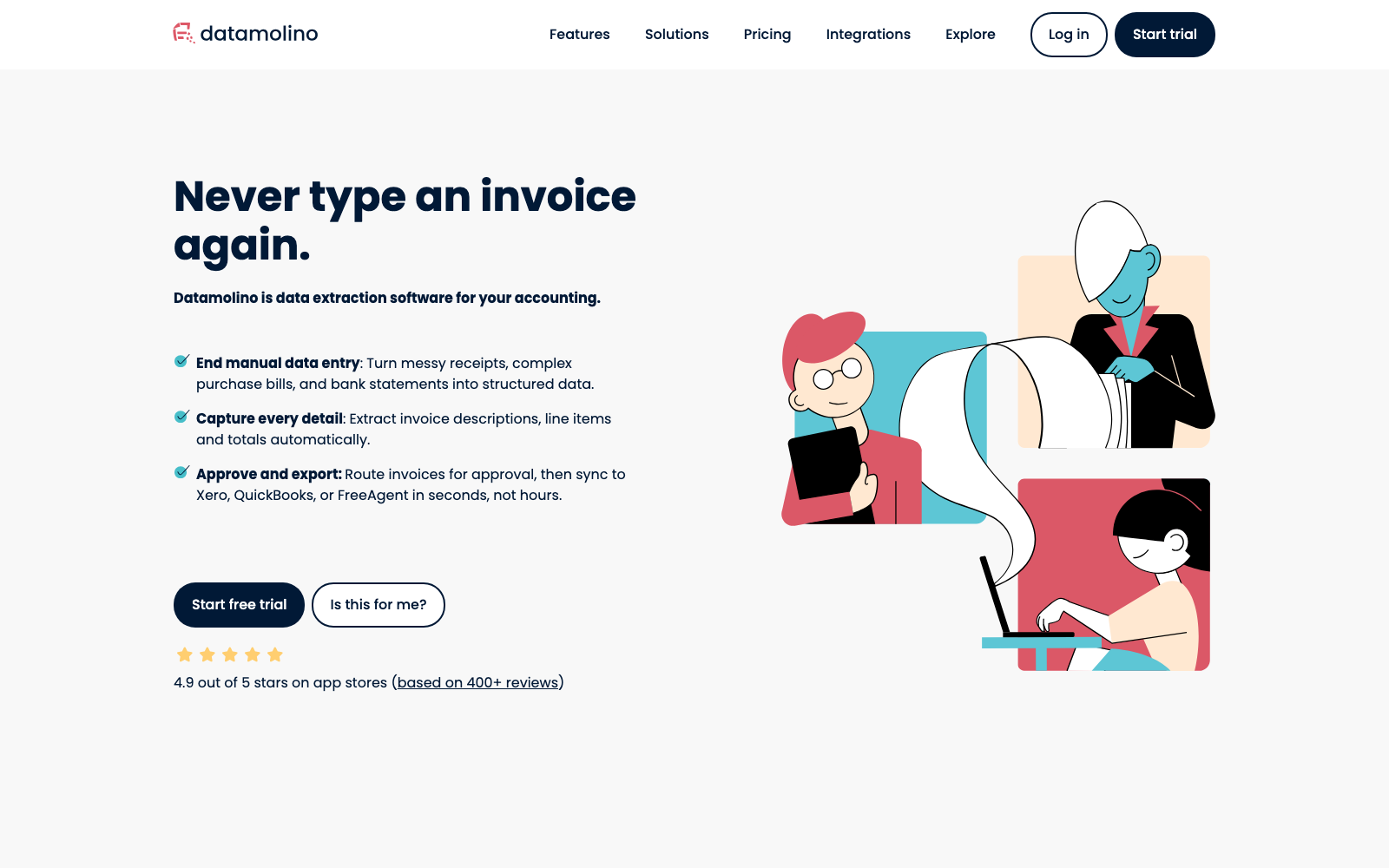
Datamolino is the small, focused option: purchase invoices and receipts in, line items available, multi-page PDFs split automatically, approval workflows on every plan, then export to Xero, QuickBooks Online or FreeAgent. Accounting-firm plans are metered per document with unlimited users and unlimited client companies — no per-client licences, which is precisely the pricing structure that drove many practices away from Dext in 2023.
What stands out is the satisfaction data: 4.9/5 from 413 verified Xero users without a single 1-, 2- or 3-star review, and a perfect 5.0 support sub-score on Capterra. Reviews from mid-2026 still describe fast, human support and a steadily improving product — the opposite trajectory to Hubdoc.
Where it falls short: line items are a paid upgrade rather than standard — the Start plan goes from £17 to £35 a month with them switched on, and they aren't offered on the cheapest £25 firm tier at all. Capterra reviewers occasionally report OCR corrections on low-resolution scans and mis-matched suppliers; bank statement conversion is always a metered extra (about $0.80 per page on business plans); and there's no direct Sage integration — a real gap for exactly the UK practices most likely to consider it.
9. Zoho Expense — best for the tightest budgets
Best for: micro-teams that want a genuinely free tier, and Zoho-suite businesses. Price: free for up to 3 users (20 autoscans/user); Standard $3/user/month billed annually; Premium $5/user/month billed annually (as of July 2026).
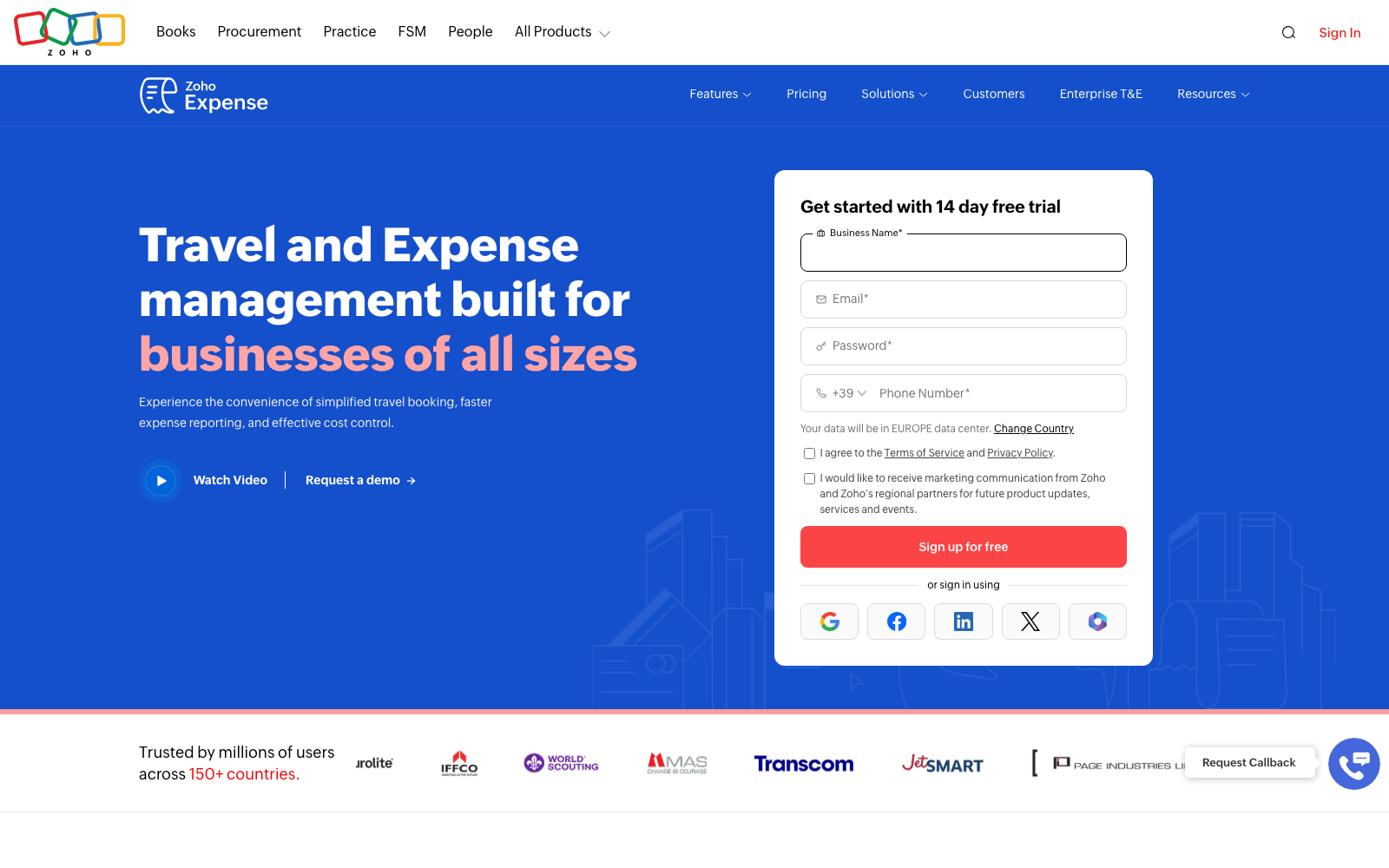
Nothing on this list touches Zoho Expense on price. The free tier is real (3 users, GPS mileage, multi-currency), the Standard tier costs about a tenth of Dext for a five-person team, and it plugs into an unusually wide set of ledgers: QuickBooks Online and Desktop, Xero, Sage, NetSuite, plus the rest of the Zoho suite. G2 rates it 4.5/5 across more than 1,500 reviews.
Like Expensify, though, it's a travel-and-expense tool, not a bookkeeping inbox — there's no supplier-statement handling or bank-statement extraction, and the autoscan allowance (20 per user per month on Free and Standard) runs out fast if receipts are your main workload.
Where it falls short: Capterra reviewers repeatedly report corporate-card feed sync failures and duplicate transactions, OCR misreads on crumpled or faded receipts, and an interface that takes real setup effort before it feels smooth — convoluted is a word that keeps coming up.
Which Dext alternative is right for you?
| If you are… | Pick | Why |
|---|---|---|
| A small business tired of typing and sorting | Tallently | One inbox, AI does the classifying, review only exceptions |
| A UK sole trader already paying for Xero | Hubdoc | Capture included in your Xero subscription |
| An accounting practice on Sage | AutoEntry | Same ecosystem, unlimited client companies |
| A team that mostly reimburses employees | Expensify | Purpose-built report → approve → reimburse flow |
| Buried under years of paper receipts (US) | Shoeboxed | Mail it all in; humans verify the data |
| A US freelancer prepping for tax season | Neat | Flat $200/yr archive with TurboTax/H&R Block exports |
| Building document capture into your own product | Veryfi | API-first extraction with a real free tier |
| A UK bookkeeper who bills for line-item work | Datamolino | Line-item specialists, approval workflows on every plan |
| On a shoestring budget | Zoho Expense | Free for 3 users, $3/user/mo after |
Still unsure? Run two trials side by side for a week — upload the same messy batch of documents to both and count how many fields you had to fix in each. That test settles it faster than any comparison table, and Tallently's trial doesn't ask for a card.
Frequently Asked Questions
Is there a free alternative to Dext?
Three real options: Hubdoc is included with every Xero subscription, Zoho Expense has a free tier for up to 3 users (20 autoscans each per month), and Expensify gives individuals 25 free SmartScans a month. All three are free with meaningful limits rather than free replacements — if you process hundreds of documents a month, you'll outgrow them. Tallently isn't free, but the 14-day trial requires no card.
Why is Dext so expensive?
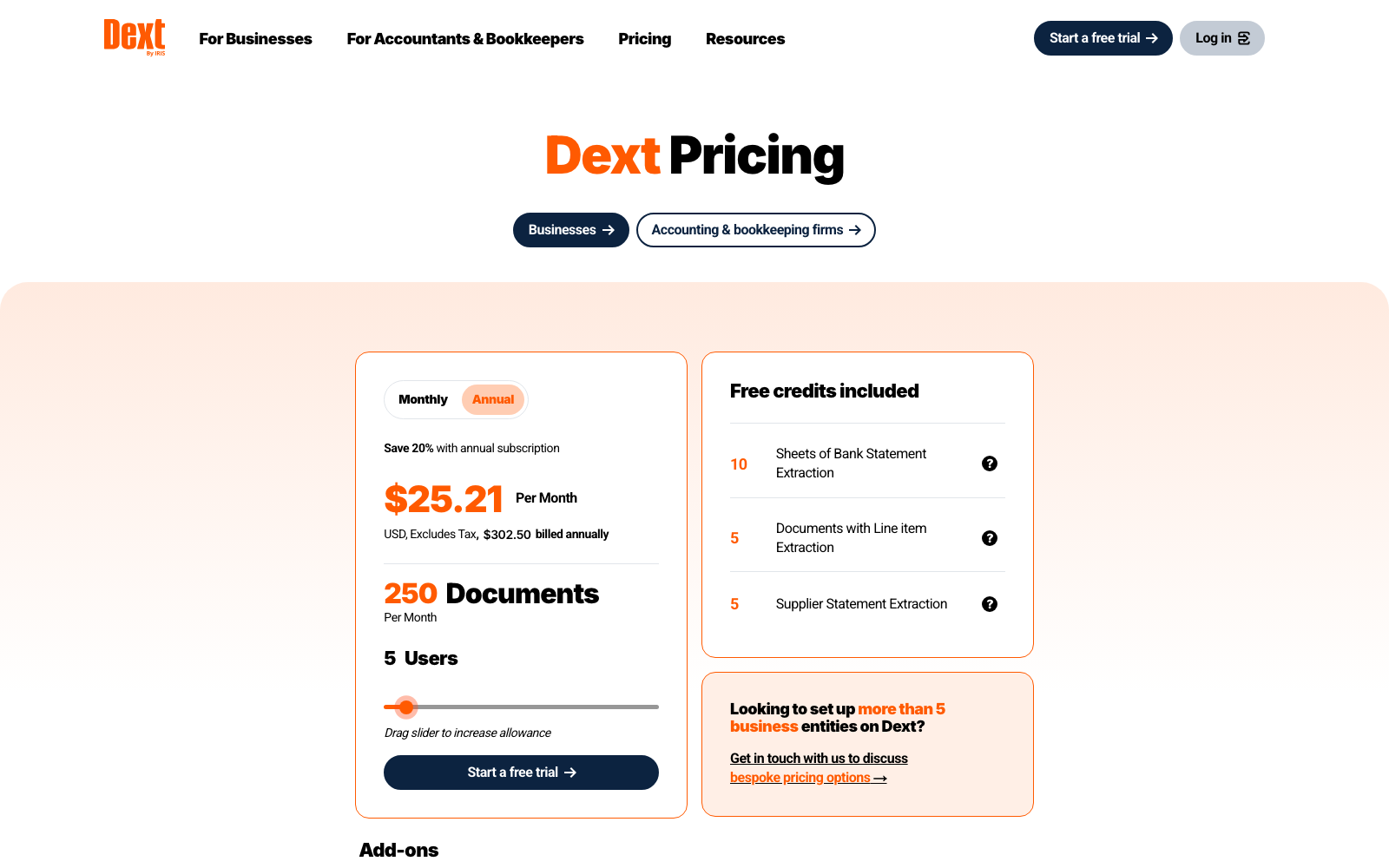
The base Business plan is $31.50/month, or $25.21/month billed annually — £30 and £24.17 in the UK — for 250 documents and 5 users, with no smaller single-user option (as of July 2026). The bill grows through add-ons: line-item extraction from $20.50/month or $0.50 per document, bank statement extraction from $13/month, AI Assist at $10.50/month. On top of that, community cost reports document renewal increases of 10–30% a year. That combination — a mid-range sticker price plus metered extras plus rising renewals — is why so many users describe Dext as more expensive than it looked.
What is better, Dext or Hubdoc?
They're built for different budgets. Hubdoc is free with Xero and covers basic capture — fetch, extract headline fields, file — but Xero has left the product largely unchanged for years. Dext extracts more (line items, supplier statements, bank statements) and automates more, at a real monthly cost plus add-ons. If you're on Xero with low volumes, try Hubdoc first — and if you've already outgrown it, see where Hubdoc users go next. If you're choosing between paying for Dext and paying for a modern alternative, that's exactly the comparison the rest of this guide covers.
What happened to Receipt Bank?
Receipt Bank rebranded to Dext in February 2021 (the product itself became "Dext Prepare"). In December 2024, Dext was acquired by IRIS Software Group, and the product is now branded "Dext by IRIS". Same underlying platform, two name changes — which is why long-time users still call it Receipt Bank.
How do I leave Dext without losing my documents?
Export everything before you cancel — your document images and your data — and check the export completed before your access ends. Any alternative worth switching to (including Tallently) accepts bulk uploads of that archive. Mind the calendar, though — Dext's own help centre states annual subscriptions must be cancelled at least 30 days before the renewal date, and the cancel button becomes unavailable inside that window. Set a reminder for 45 days out.
Does Tallently work with QuickBooks and Xero?
Yes — today via export files formatted specifically for QuickBooks Online and Xero import (plus generic CSV/Excel and PDF bundles), with native, one-click integrations coming next. Your accountant gets clean, structured data either way, and every original stays stored and searchable for 10 years.
Ready to stop doing data entry? Throw a month of receipts at Tallently and watch them file themselves — start your free 14-day trial, no card required, set up in minutes.